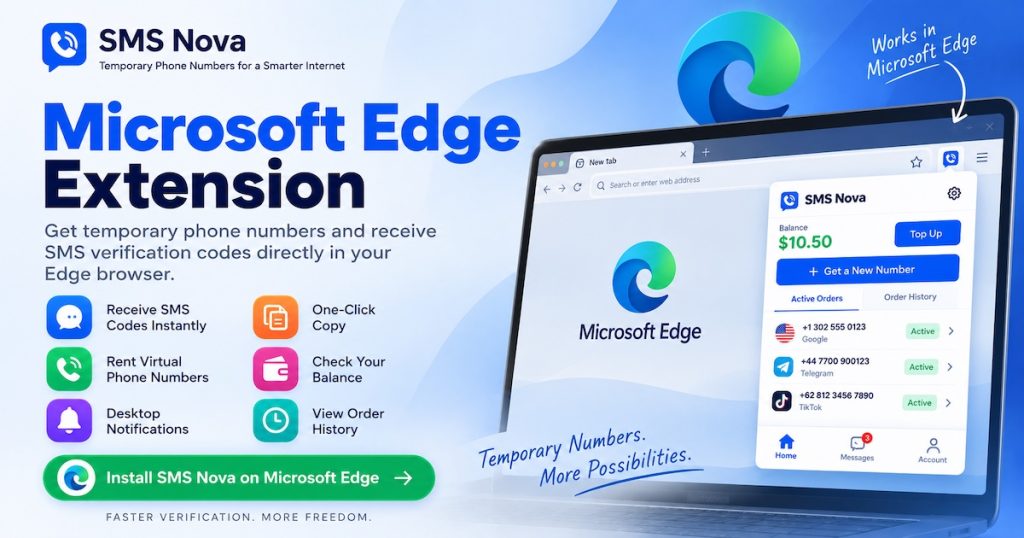
The SMS Nova Microsoft Edge Extension gives you quick access to temporary phone numbers and incoming SMS verification codes directly from Microsoft Edge.
Instead of repeatedly switching between your current website and the SMS Nova dashboard, you can use the browser extension to view active numbers, monitor incoming messages, copy SMS or OTP codes, check your balance, and start new orders directly from the Edge toolbar.
1. What Is the SMS Nova Microsoft Edge Extension?
SMS Nova – Temporary Phone Number is the official SMS Nova browser extension for Microsoft Edge.
It works together with your SMS Nova account and provides convenient access to frequently used account functions without requiring you to keep the main SMS Nova website open in another tab.
You can use the extension to view active temporary phone numbers, monitor incoming SMS messages, copy phone numbers and OTP codes, check your account balance, review previous orders, receive browser notifications, and order another available virtual number.
2. Receive SMS and OTP Codes Directly in Edge
When you have an active temporary phone number, you can monitor incoming messages directly from the SMS Nova extension.
Open the extension from the Edge toolbar to see your current orders.
When an SMS arrives, you can view the message and copy the verification code without repeatedly switching back to the SMS Nova website.
This makes SMS verification workflows more convenient when you are already working inside Microsoft Edge.
3. Manage Active Temporary Phone Numbers
Your active SMS Nova orders are accessible directly from the extension popup.
You can quickly see the assigned temporary phone number, copy it, and monitor the order for incoming messages.
This gives you a simple way to manage temporary phone numbers while keeping the website you are currently using open in the same browser window.
4. Desktop Notifications for Incoming SMS
The SMS Nova Edge Extension can notify you when a new SMS message arrives for an active order.
Instead of repeatedly refreshing the SMS Nova dashboard, you can continue browsing normally.
When the message arrives, open the extension to view the SMS and copy the verification code.
5. Rent a Temporary Phone Number From Microsoft Edge
You can also start a new temporary-number order directly from the Edge Extension.
Open SMS Nova from the Edge toolbar, select a supported service and country, and choose an available phone number.
Number availability and pricing can vary depending on the selected service, destination, carrier, and current SMS Nova inventory.
6. Check Your SMS Nova Balance
Your current SMS Nova wallet balance can be viewed from the browser extension.
This allows you to quickly check whether your account has enough balance before placing another order.
Previous orders can also be accessed from the extension, making it easier to manage your SMS Nova activity from one interface.
7. Install SMS Nova From Microsoft Edge Add-ons
The official extension is listed on Microsoft Edge Add-ons as SMS Nova – Temporary Phone Number.
Install SMS Nova – Temporary Phone Number for Microsoft Edge
After installation, you can pin SMS Nova to the Microsoft Edge toolbar for faster access to your temporary phone numbers, active orders, incoming messages, and account information.
8. SMS Nova Microsoft Edge Add-ons Localized URLs
Microsoft Edge supports multiple display languages, and Microsoft Edge Add-ons can be opened using localized ?hl= URL variants.
These localized URLs point to the same SMS Nova Edge Extension while requesting a particular language version of Microsoft Edge Add-ons.
The availability of a localized Edge Add-ons interface does not necessarily mean that every part of the SMS Nova extension description has been manually translated into that language.
8.1 Official listing without a language parameter
8.2 All 84 Microsoft Edge locale variants
- Afrikaans – af
- Albanian – sq
- Amharic – am
- Arabic – ar
- Assamese – as
- Azerbaijani – az
- Bangla (India) – bn-IN
- Basque – eu
- Bosnian – bs
- Bulgarian – bg
- Catalan – ca
- Chinese Simplified – zh-CN
- Chinese Traditional – zh-TW
- Croatian – hr
- Czech – cs
- Danish – da
- Dutch – nl
- English United Kingdom – en-GB
- English United States – en
- Estonian – et
- Filipino – fil
- Finnish – fi
- French Canada – fr-CA
- French France – fr
- Galician – gl
- Georgian – ka
- German – de
- Greek – el
- Gujarati – gu
- Hebrew – he
- Hindi – hi
- Hungarian – hu
- Icelandic – is
- Indonesian – id
- Irish – ga
- Italian – it
- Japanese – ja
- Kannada – kn
- Kazakh – kk
- Khmer – km
- Konkani – kok
- Korean – ko
- Lao – lo
- Latvian – lv
- Lithuanian – lt
- Luxembourgish – lb
- Macedonian – mk
- Malay – ms
- Malayalam – ml
- Maltese – mt
- Maori – mi
- Marathi – mr
- Nepali – ne
- Norwegian Bokmål – nb
- Norwegian Nynorsk – nn
- Odia – or
- Persian – fa
- Polish – pl
- Portuguese Brazil – pt-BR
- Portuguese Portugal – pt-PT
- Punjabi – pa
- Quechua – quz
- Romanian – ro
- Russian – ru
- Scottish Gaelic – gd
- Serbian Bosnia Cyrillic – sr-Cyrl-BA
- Serbian Serbia Cyrillic – sr-Cyrl-RS
- Serbian Serbia Latin – sr-Latn-RS
- Slovak – sk
- Slovenian – sl
- Spanish Mexico – es-MX
- Spanish Spain – es
- Swedish – sv
- Tamil – ta
- Tatar – tt
- Telugu – te
- Thai – th
- Turkish – tr
- Ukrainian – uk
- Urdu – ur
- Uyghur – ug
- Valencian – ca-Es-VALENCIA
- Vietnamese – vi
- Welsh – cy
9. Why Use the SMS Nova Edge Extension?
The SMS Nova Edge Extension reduces the need to repeatedly switch between your SMS Nova dashboard and the website you are currently using.
Temporary phone numbers, active orders, incoming SMS messages, verification codes, account balance, and order history can all be accessed from the Edge toolbar.
For users who regularly use SMS Nova from a desktop browser, the extension provides a faster and more convenient workflow.
10. SMS Nova for Edge, Chrome, and Firefox
SMS Nova provides browser extensions for major desktop browsers.
Microsoft Edge users can install the extension through Microsoft Edge Add-ons.
Google Chrome users can use the official SMS Nova Chrome Extension, while Mozilla Firefox users can install the official SMS Nova Firefox Add-on.
This gives SMS Nova users the option to choose the browser that best matches their normal browsing workflow.
11. Get Started With SMS Nova for Microsoft Edge
Install SMS Nova – Temporary Phone Number from Microsoft Edge Add-ons and connect the extension to your SMS Nova account.
Once installed, pin SMS Nova to your Edge toolbar for quick access to active numbers, incoming SMS messages, verification codes, balance information, and new temporary phone number orders.
Temporary and virtual phone numbers should only be used for lawful purposes and where permitted by the third-party platform involved. Availability and acceptance of virtual numbers are determined by individual websites and applications.
Users are responsible for complying with SMS Nova’s Terms of Use, Acceptable Use Policy, and applicable third-party platform rules.
 Apple
Apple  Telegram