Need a Virtual Number Right Now?
Skip the wait — rent an instant virtual number and start receiving SMS codes in seconds.
How Long Is an SMS Verification Code Valid? OTP Expiration Time and How to Handle an Expired OTP · 2:10
Transcript
When receiving an OTP via SMS, many people often assume that the code will be valid for 5 or 10 minutes. However, in reality, there is no single validity period that applies to all SMS verification codes. Each website, application, or verification system may set its own OTP validity period. Some codes may only remain valid for a few minutes, while other systems may allow users more time to use the code. It is important to note that this period is usually controlled by the website or system that issues the OTP, rather than by the phone, SIM, virtual phone number, or SMS receiving service. In this article, SMS Nova will explain how long an SMS verification code is valid, when the validity period starts counting, why an OTP may already be expired when it is just received, and how to handle the Code Expired error effectively. How Long Is an SMS Verification Code Usually Valid? There is no fixed duration for all SMS OTPs. Depending on the website, the security level of the action, and how the system is configured, a verification code may be valid for a few minutes to several tens of minutes. Some systems that prioritize security use a short expiry window. In contrast, some services may give users more time to receive the SMS and complete the verification process. There Is No Universal OTP Expiration Time When a website generates a verification code, the system usually also creates an expiration time for that code. The process can be illustrated as follows: OTP is generated → timer starts counting → SMS is sent → user receives the code → enters the code → system checks validity Therefore, you should not assume: “Every OTP lasts for 5 minutes.” or: “An SMS Verification Code is always valid for 10 minutes.” The exact validity period depends on the system sending the code. Examples of OTP Validity Periods in Some European Systems Real-world systems in Europe show that expiry times can vary significantly.
When receiving an OTP via SMS, many people often assume that the code will be valid for 5 or 10 minutes. However, in reality, there is no single validity period that applies to all SMS verification codes.
Each website, application, or verification system may set its own OTP validity period. Some codes may only remain valid for a few minutes, while other systems may allow users more time to use the code.
It is important to note that this period is usually controlled by the website or system that issues the OTP, rather than by the phone, SIM, virtual phone number, or SMS receiving service.
In this article, SMS Nova will explain how long an SMS verification code is valid, when the validity period starts counting, why an OTP may already be expired when it is just received, and how to handle the Code Expired error effectively.
How Long Is an SMS Verification Code Usually Valid?
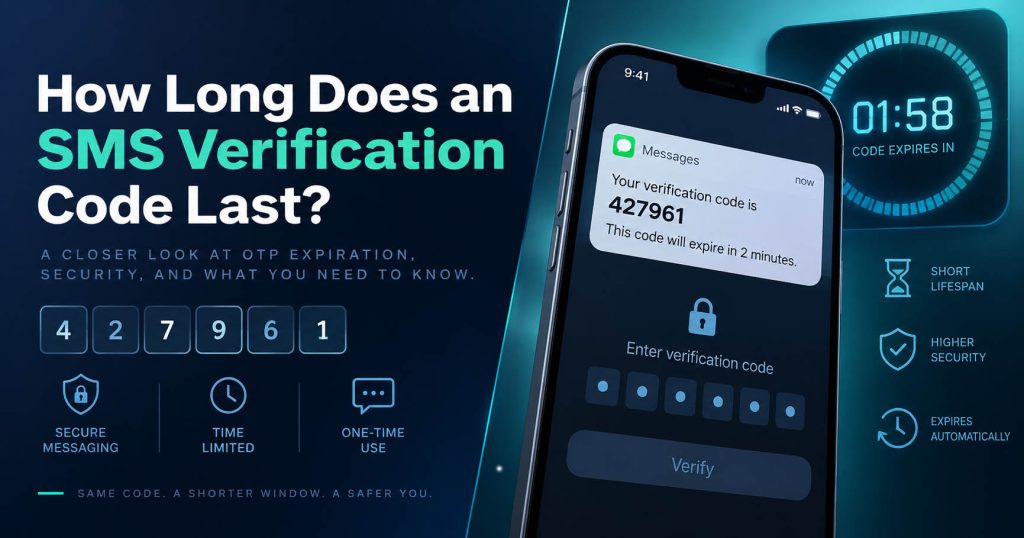
There is no fixed duration for all SMS OTPs. Depending on the website, the security level of the action, and how the system is configured, a verification code may be valid for a few minutes to several tens of minutes.
Some systems that prioritize security use a short expiry window. In contrast, some services may give users more time to receive the SMS and complete the verification process.
There Is No Universal OTP Expiration Time
When a website generates a verification code, the system usually also creates an expiration time for that code.
The process can be illustrated as follows:
OTP is generated → timer starts counting → SMS is sent → user receives the code → enters the code → system checks validity
Therefore, you should not assume:
“Every OTP lasts for 5 minutes.”
or:
“An SMS Verification Code is always valid for 10 minutes.”
The exact validity period depends on the system sending the code.
Examples of OTP Validity Periods in Some European Systems
Real-world systems in Europe show that expiry times can vary significantly.
| Country | System/Service | Published Validity Period |
|---|
| Netherlands | DigiD | 15 minutes |
| France | AP-HP Cyberlab | 5 minutes |
| Hungary | UniCredit Bank | 5 minutes |
| Switzerland | HIN Mail | 15 minutes |
| United Kingdom | Hampshire County Council Member Portal | 30 minutes |
For example, DigiD in the Netherlands uses an SMS code that is valid for 15 minutes in some verification processes. AP-HP Cyberlab in France uses an OTP with a validity period of 5 minutes. Some electronic transactions at UniCredit Bank in Hungary also use a one-time password that is valid for 5 minutes.
Meanwhile, HIN Mail in Switzerland allows an SMS code to remain valid for 15 minutes, while some verification flows on the Member Portal of Hampshire County Council in the United Kingdom have OTPs that remain valid for up to 30 minutes.
These examples show that even within the same European region, OTP validity periods are not the same.
Therefore, the most accurate way to put it is:
SMS verification codes are usually valid only for a limited period of time, ranging from a few minutes to several tens of minutes depending on the service.
When Does the OTP Validity Period Start?
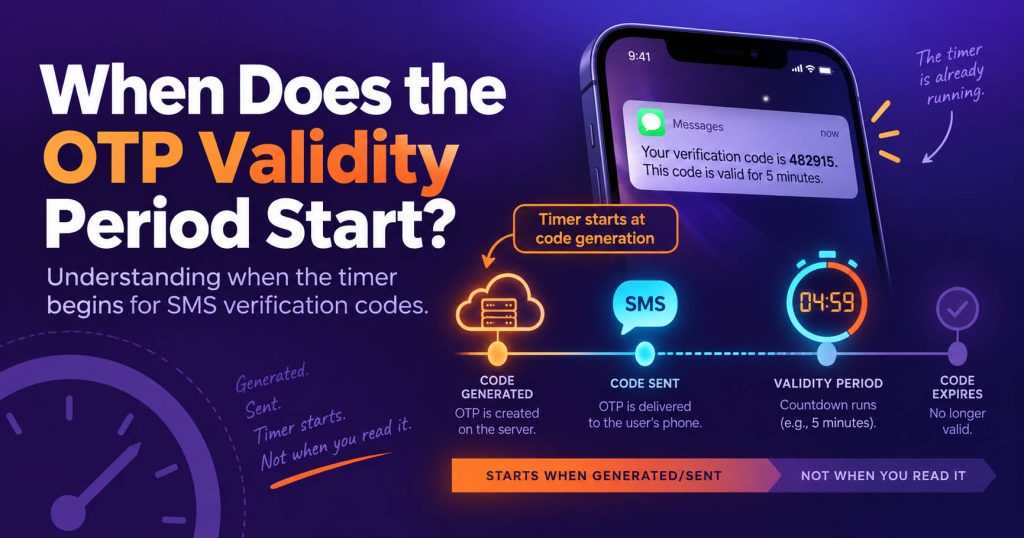
This is a very important point that is often overlooked. In many systems, the OTP timer starts from the time the code is generated on the server, not from the time the SMS appears on the phone. Suppose a website generates an OTP at 10:00 and sets a validity period of 5 minutes. If the SMS takes 3 minutes to reach the device, the user has only about 2 minutes left to use the code.
The actual sequence may be:
10:00 – OTP is generated
10:00 – SMS is sent
10:03 – user receives the SMS
10:05 – OTP expires
This is exactly why someone may feel that:
“I just received the OTP, but the system has already reported that it has expired.”
The problem is not necessarily with the code. The SMS may have been delayed during the delivery process.
Why Do SMS Verification Codes Need to Expire?
OTP stands for One-Time Password or One-Time Passcode. The nature of this type of code is that it is used only within a short period of time and usually only for one verification session. Expiry time plays an important role in security.
Reduce the Time a Code Can Be Misused
If an OTP is exposed, another person can only use it while the code is still valid. The longer a code remains valid, the larger the attack window becomes.
Reduce the Risk of Reusing the Code
OTP is usually designed for a single verification attempt. After the code has been successfully used or has expired, the system may reject subsequent attempts to use it.
Keep the Verification Process Tied to the Current Session
A verification code is usually associated with a specific action:
Login, registration, password reset, or confirmation of an action. If the code remains valid for too long, it may no longer be relevant to the original verification session.
Why Does Each Website Set a Different OTP Expiration Time?
There is no expiry window that is suitable for every situation. Systems usually have to balance security and user experience.
Sensitivity of the Action
An action such as confirming a money transfer or changing security information may require a shorter validity period than a normal registration process.
SMS Delivery Delay
SMS is not always delivered immediately. If the system sets the time too short, users may receive the code when the OTP is already close to expiring.
Country and Carrier
International SMS may have to pass through multiple carriers or routes. Therefore, a platform operating in multiple countries may need to take delivery latency into consideration.
User Experience
Users need time to:
Open the SMS, copy the code, return to the website, and enter the OTP. If the validity period is only a few seconds, the verification failure rate may increase significantly.
What Happens When an SMS OTP Expires?
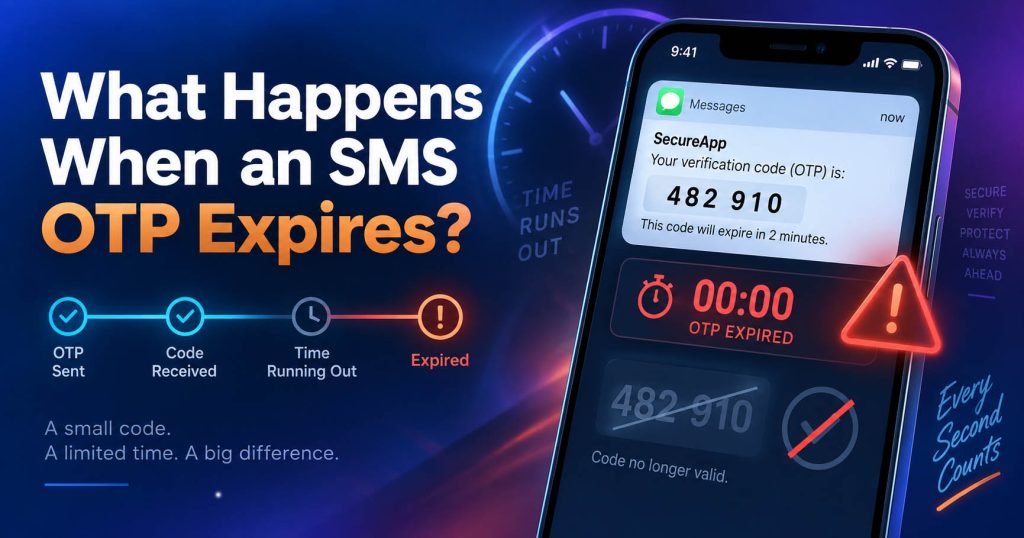
When the OTP has exceeded its expiry time, the server will no longer accept the code. Users may see messages such as:
Code Expired
OTP Expired
Verification Code Expired
or sometimes:
Invalid Code
In this case, repeatedly entering the same code usually has no effect.
Can an Old OTP Be Extended?
Normally, users cannot extend a code that has already expired themselves. The common solution is to select:
Resend Code
or:
Request New Code
to start a new verification attempt.
Why Does an OTP Expire Immediately After Being Received?
This is one of the most confusing situations when using SMS Verification. The most common cause is delivery delay.
For example:
OTP is generated → SMS Gateway → Carrier → Queue → device
While the SMS passes through intermediate systems, the expiry timer continues to run.
Network Congestion
When a system handles a large volume of SMS messages at the same time, some messages may have to wait in the queue.
International Routing
International SMS may sometimes have to pass through multiple intermediary networks before reaching the destination number.
Need a Virtual Number Right Now?
Skip the wait — rent an instant virtual number and start receiving SMS codes in seconds.
Carrier Delay
The carrier may temporarily delay message processing.
Device Is Not Connected to the Network
If the phone temporarily loses signal, the SMS may be delivered later. As a result, the user may receive a code with very little validity time remaining or one that has already completely expired.
Does Pressing Resend Code Make the Old Code Expire?
There is no single answer that applies to all websites. Each verification system may handle resend requests differently.
Some Systems Resend the Same Code
Within the validity window, the system may keep the same OTP and simply resend the SMS containing the same code.
Some Systems Generate a New OTP
Another implementation may generate a new code and invalidate the previous one. Therefore, you should not assume that:
Resend = new code
or:
Resend = old code is still valid
If you receive multiple SMS messages close together, the safest approach is to prioritize the latest verification attempt and follow the website’s instructions.
Should You Continuously Request New OTPs?
No. This is one of the most common mistakes when troubleshooting SMS Verification. When the code has not arrived, many people tend to repeatedly press: Resend Code. This can cause two problems.
Multiple Overlapping OTPs
You may receive three or four SMS messages almost at the same time but not know which code belongs to the latest request.
Triggering a Rate Limit
Websites usually limit the number of times a user can request an OTP within a certain period. If too many requests are made, you may encounter: Too many attempts, Try again later or a cooldown period before you are allowed to resend. A better approach is to wait until the website’s countdown ends before resending.
Are OTP Expiration and Temporary Phone Number Expiration the Same?
No. These are two completely different mechanisms.
OTP Expiration
This is controlled by the website or application that sends the code. For example, an OTP may be valid for 5 minutes.
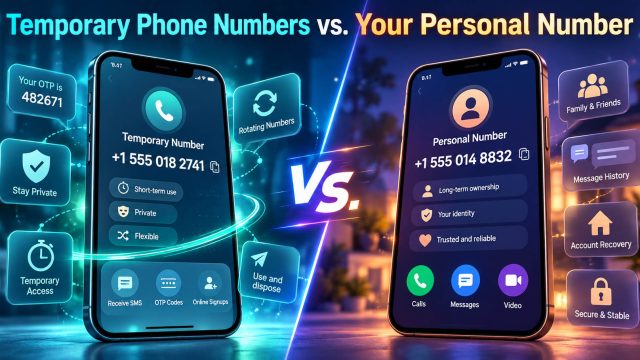
Temporary Phone Number Expiration
This is the period during which the phone number or SMS receiving session remains available on the temporary phone number service. For example, the number may remain active for 15 minutes. This does not mean that the OTP also remains valid for 15 minutes.
If the website sets the OTP expiry time to 5 minutes, the code will still expire after 5 minutes, even if the temporary phone number remains active for longer. This is an important point for virtual phone number users to pay special attention to.
Does Using a Virtual Phone Number Make an OTP Expire Faster?
Not directly. Virtual Phone Number or Temporary Phone Number does not determine the lifetime of the verification code. The expiry timer is controlled by the website/app that issues the OTP. However, a virtual phone number can indirectly affect the situation if SMS delivery is delayed.
For example: The website generates an OTP that is valid for 5 minutes. The SMS arrives on the dashboard after 4 minutes. The user has only about one minute left to enter the code.
Therefore, the issue is not that the virtual number makes the OTP “expire faster,” but that delivery delay reduces the remaining time available.
In addition, it is necessary to distinguish between:
OTP Expired – the code has exceeded its validity period.
Phone Number Rejected – the website does not accept the type of number.
SMS Delivery Failure – the message was not delivered.
These are three different errors.
What Should You Do When an SMS Verification Code Has Expired?
If the website displays Code Expired, you can handle it in the following order.
Step 1: Do Not Continue Entering the Old OTP
If the server has already marked the code as expired, entering the code again usually will not help.
Step 2: Request a New Code
Select:
Resend Code
or:
Request New OTP
Step 3: Do Not Resend Continuously
Send only one request and wait for the SMS.
Step 4: Check the Timestamp
If you receive multiple OTPs, check the sending time or receiving time.
Step 5: Enter the Code Immediately After Receiving It
Do not leave the verification page open for too long before using the code.
Step 6: If the New Code Continues to Arrive Late
At this point, you need to troubleshoot SMS delivery rather than simply continuing to request OTPs.
How Can You Prevent an OTP from Expiring Before You Use It?
There are some simple habits that can help reduce the occurrence of Code Expired.
Only Request an OTP When You Are Ready
You should not click Send Code and then switch to doing something else.
Keep the Verification Page Open
This helps you enter the code immediately after receiving the SMS.
Check the Number Before Sending
An incorrect number or incorrect country code can force you to restart the process.
Do Not Create Too Many Verification Sessions
Each new tab or new request may create a different verification state.
Copy and Paste the OTP
This helps reduce manual entry errors.
If Using SMS Nova, Keep the Inbox Open
When using a temporary phone number, you should keep the SMS Nova dashboard open to monitor messages immediately after requesting the OTP.
How Is an SMS OTP Different from TOTP in Terms of Validity?
SMS OTP and TOTP are both verification codes, but they work differently.
SMS OTP
The server generates the code and sends it via SMS. Therefore, the process depends on the SMS Provider, Gateway, Carrier, and network delivery.
TOTP
TOTP – Time-Based One-Time Password – is usually generated directly in an authenticator app based on time. Each code usually changes after a short time step. Because it does not depend on SMS delivery, TOTP avoids carrier delay issues. It is important not to use the validity period of TOTP to infer the validity period of an SMS OTP. A TOTP that changes every 30 seconds does not mean that an SMS Verification Code must also expire after 30 seconds.
Reference Table of OTP Validity Periods
| System/Code Type | Reference Time |
|---|
| AP-HP Cyberlab – France | 5 minutes |
| UniCredit Bank – Hungary | 5 minutes |
| DigiD – Netherlands | 15 minutes |
| HIN Mail – Switzerland | 15 minutes |
| Hampshire Member Portal – United Kingdom | 30 minutes |
| SMS OTP in general | determined by each platform |
| TOTP | usually has a short time step |
The figures above only reflect how specific systems configure their OTPs. They are not a general standard for the Internet.
Frequently Asked Questions About SMS Verification Code Validity
How Long Is an SMS Verification Code Usually Valid?
There is no fixed period. Depending on the website, an OTP may remain valid for a few minutes or longer.
Does an OTP Expire Automatically?
Yes. Verification systems usually set an expiry timestamp for each verification code.
Is the OTP Time Counted from When It Is Sent or When It Is Received?
In many systems, the validity period starts when the OTP is generated on the server, not when the user reads the SMS.
Why Does an OTP Expire Immediately After Being Received?
The SMS may be delayed while traveling from the sending system to the phone number.
Can an Expired OTP Be Used Again?
Normally, no. You need to request a new verification code.
Does Resend Code Generate a New OTP?
It depends on the system. Some services keep the same code within the validity window, while other systems generate a new code.
Does a Virtual Phone Number Make an OTP Expire Faster?
Not directly. The expiration time is determined by the website that issues the OTP.
If the Temporary Phone Number Is Still Active, Is the OTP Still Valid?
Not necessarily. The expiration period of the number and the expiration period of the OTP are two separate timers.
Why Does Delayed SMS Affect the OTP?
Because the timer may have already started before the message was delivered to the user.
Should You Request the OTP Again Immediately When You Do Not See the SMS?
You should not. Follow the website’s countdown to avoid rate limits and multiple overlapping codes.
Reference sources:
https://pages.nist.gov/800-63-4/sp800-63b.html
https://www.twilio.com/docs/verify/developer-best-practices
https://support.auth0.com/center/s/article/MFA-SMS-authentication-codes-period
https://www.twilio.com/docs/verify/api/rate-limits-and-timeouts
Need a Virtual Number Right Now?
Skip the wait — rent an instant virtual number and start receiving SMS codes in seconds.

 Apple
Apple  Telegram