Need a Virtual Number Right Now?
Skip the wait — rent an instant virtual number and start receiving SMS codes in seconds.
How to Receive SMS Online Without a SIM Card · 2:11
Transcript
Do you need to receive an OTP verification code but your phone does not have a SIM card? Do you want to register for an online service without providing your personal phone number? Or are you simply looking for a receive SMS online solution to receive messages directly on your computer or web browser? Today, receiving SMS does not necessarily require you to insert a physical SIM card into your device. Through virtual phone numbers, temporary numbers, and online SMS receiving platforms, you can read SMS messages using an Internet connection. However, each method has different costs, OTP receiving capabilities, and security limitations. Some services provide free numbers but make message content publicly accessible, while other platforms allow users to rent private numbers for individual verification sessions. This article will guide you through how to receive SMS online without a SIM card, compare four popular methods, and introduce the process of receiving OTP codes on SMS Nova. Can You Receive SMS Online Without a SIM Card? You can absolutely receive SMS online without inserting a physical SIM card into your phone. Instead of receiving messages through the default SMS app, you use a phone number managed by an online provider and read messages through a website or application. Some solutions even allow you to use them entirely on a laptop, tablet, or device with only a Wi-Fi connection. How Does Receive SMS Online Work? The process of receiving SMS online usually consists of three steps: Choose a phone number: Use a virtual or temporary phone number that supports SMS reception. Request an SMS: Enter that number on the website or application that requires verification. Read the message: Access the provider's dashboard to view the SMS content or copy the OTP code. When a message is sent, the SMS system routes it to the corresponding phone number. The provider receives the message and displays its content on the online platform for authorized users to access.
Do you need to receive an OTP verification code but your phone does not have a SIM card? Do you want to register for an online service without providing your personal phone number? Or are you simply looking for a receive SMS online solution to receive messages directly on your computer or web browser?
Today, receiving SMS does not necessarily require you to insert a physical SIM card into your device. Through virtual phone numbers, temporary numbers, and online SMS receiving platforms, you can read SMS messages using an Internet connection.
However, each method has different costs, OTP receiving capabilities, and security limitations. Some services provide free numbers but make message content publicly accessible, while other platforms allow users to rent private numbers for individual verification sessions.
This article will guide you through how to receive SMS online without a SIM card, compare four popular methods, and introduce the process of receiving OTP codes on SMS Nova.
Can You Receive SMS Online Without a SIM Card?
You can absolutely receive SMS online without inserting a physical SIM card into your phone. Instead of receiving messages through the default SMS app, you use a phone number managed by an online provider and read messages through a website or application. Some solutions even allow you to use them entirely on a laptop, tablet, or device with only a Wi-Fi connection.
How Does Receive SMS Online Work?
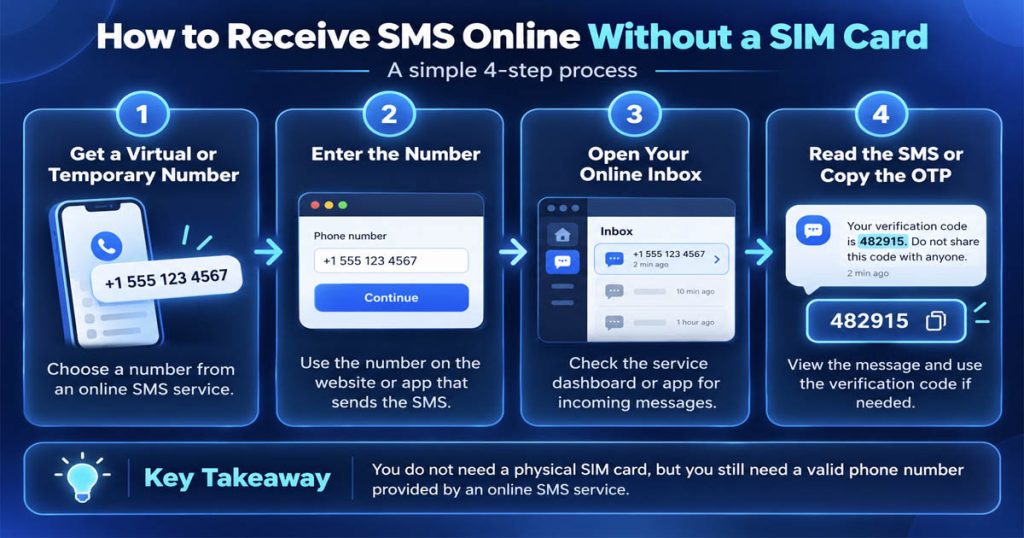
The process of receiving SMS online usually consists of three steps:
- Choose a phone number: Use a virtual or temporary phone number that supports SMS reception.
- Request an SMS: Enter that number on the website or application that requires verification.
- Read the message: Access the provider’s dashboard to view the SMS content or copy the OTP code.
When a message is sent, the SMS system routes it to the corresponding phone number. The provider receives the message and displays its content on the online platform for authorized users to access.
This does not mean that SMS works without any telecommunications infrastructure at all. The phone number still needs to be issued and managed by a provider capable of receiving messages. The difference is that users do not necessarily need to own or insert a physical SIM card directly into the device they are using.
4 Ways to Receive SMS Online Without a SIM Card
There are several ways to receive messages online, ranging from free services to paid solutions. Below are four popular methods.
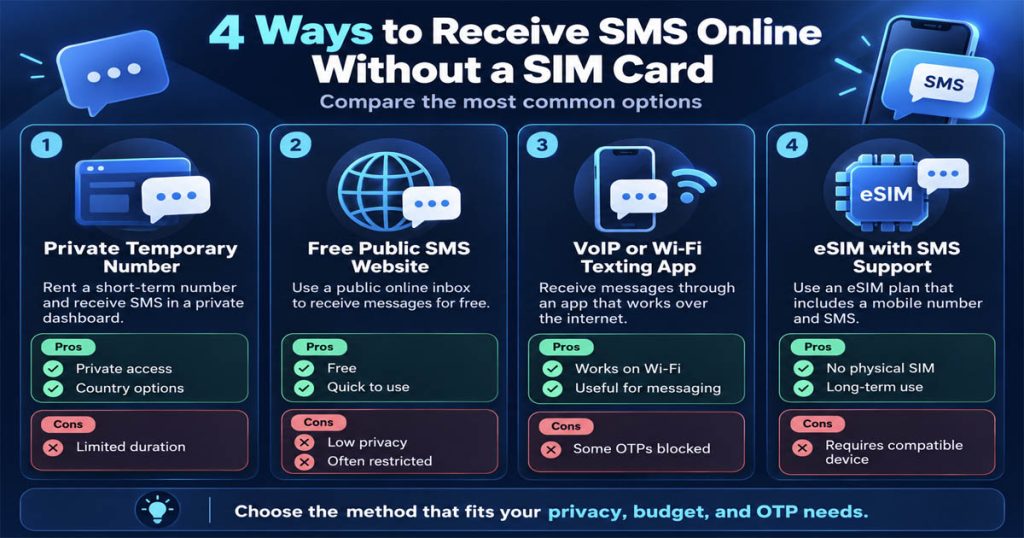
1. Use a Private Temporary Phone Number
This method is suitable when you only need to receive one or a few SMS messages over a short period. A temporary phone number is provided through a rental session with a limited duration. Users select a country and the service they want to receive messages from, then use the assigned number to request an SMS. When the message arrives, its content will appear in the dashboard of the number rental account.
The advantages of this method are that you do not need to purchase a new SIM card, you can choose a number by country, and you do not have to use your personal phone number for every verification.
For example, SMS Nova provides temporary phone numbers for receiving SMS and OTP codes online on supported platforms. However, rented numbers usually have a short validity period. After the rental session ends, you may lose access, and the number may be reassigned to someone else. Therefore, this method is more suitable for short-term verification rather than long-term account recovery.
2. Use Free SMS Receiving Websites
Some websites provide public phone numbers that users can use to receive SMS without paying. The process is usually very simple: visit the website, select an available number, enter it into the service that requires verification, and then open the online inbox to check the messages. The biggest advantages are that it is free and usually does not require creating an account.
However, you need to understand that a public SMS inbox is not a private inbox. Other people accessing the same number may be able to view messages appearing in the public list.
In addition, free numbers are often used repeatedly. Some platforms may reject them because the numbers have been registered before or belong to an unsupported number category.
Therefore, this method should only be used to test non-sensitive activities. Do not enter public numbers into bank accounts, primary email accounts, or accounts containing important data.
3. Use VoIP Applications That Work Over Wi-Fi
Applications such as Google Voice or TextFree provide communication capabilities over the Internet, depending on the region and usage conditions. Users can receive messages through the application without inserting an additional physical SIM card into their devices. This method is suitable for regular messaging needs or using a secondary number for communication.
However, OTP receiving capabilities may be limited. Some platforms reject VoIP numbers, while some applications only support verification messages through paid plans. For example, TextFree currently requires a Plus plan to receive many types of account verification codes. Therefore, you should not assume that a free messaging application also allows you to receive every type of OTP for free.
4. Use an eSIM That Supports SMS Reception
An eSIM is an electronic SIM integrated into a device, without requiring a removable physical SIM card. If the eSIM plan provides a mobile number and supports SMS, you can receive messages just like a regular mobile subscriber. This is a suitable option for people who need to maintain a phone number long-term but do not want to use a physical SIM card.
However, you need to distinguish eSIMs from browser-based SMS receiving services. An eSIM still uses SIM technology and generally requires a compatible device. In addition, many travel eSIM plans only provide Internet data and do not include a phone number or SMS receiving capabilities.
Step-by-Step Guide to Receiving SMS OTP Online on SMSNova
If you need a phone number to receive short-term OTP codes without wanting to purchase a new SIM card, SMS Nova is an option worth considering. The platform provides temporary phone numbers from multiple countries and supports service selection and online message management. Below is the basic usage process.
Step 1: Visit SMSNova and Create an Account
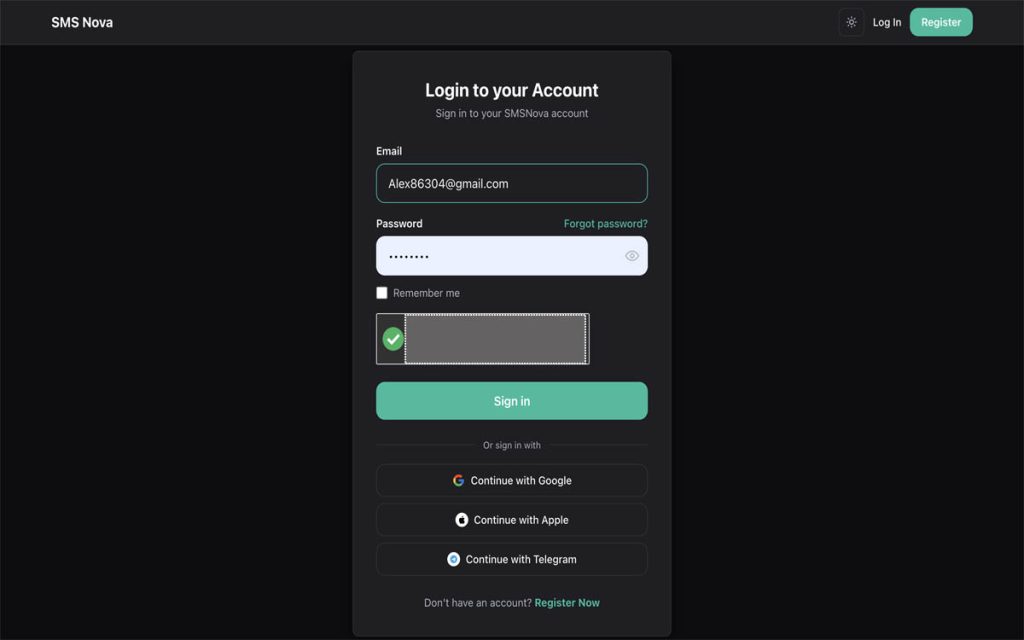
First, visit the official website at smsnova.net. Select the registration option and provide the information requested by the system. Once completed, log in to access the dashboard. This is where you can manage your balance, phone number rental orders, and received SMS messages. You should use an email address that you can access long-term and set a sufficiently strong password to protect your account.
Step 2: Add Funds to Your Account
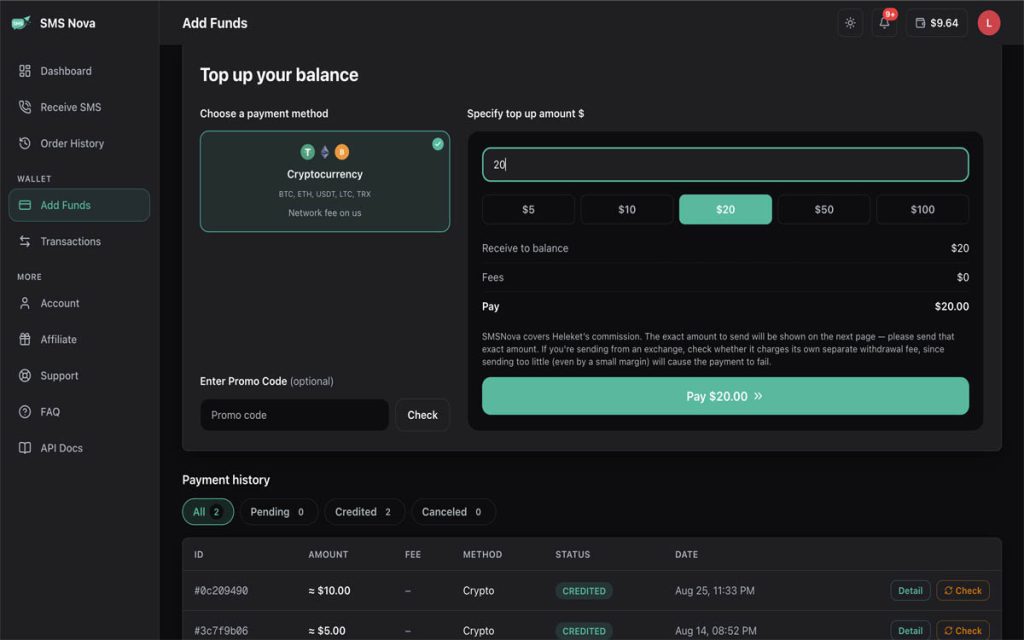
SMS Nova operates on a pay-per-number model rather than requiring users to sign up for a monthly subscription plan. After logging in, open the deposit or account wallet section, select a supported payment method, and enter the desired amount. Complete the transaction according to the instructions, then check your balance.
According to the SMSNova pricing table, some services have starting prices of $0.01 per number. However, actual prices vary depending on the country, verification platform, and number availability.
You can view the details at SMS Nova Pricing.
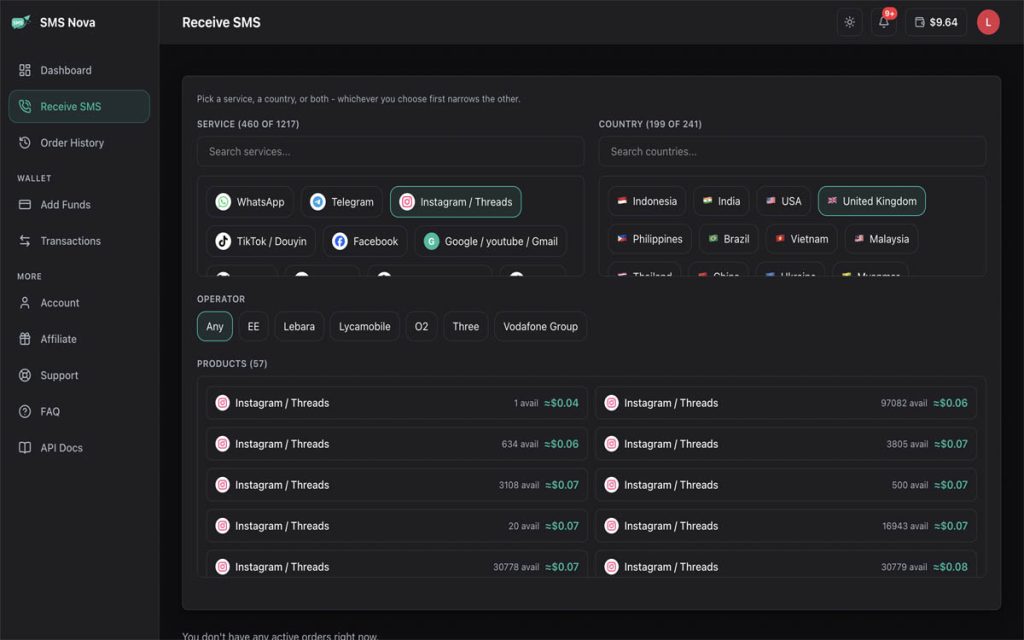
Step 3: Choose a Country and Service
Next, identify the website or application from which you want to receive SMS messages. On SMS Nova, you can browse the service list or the country list to find a suitable option.
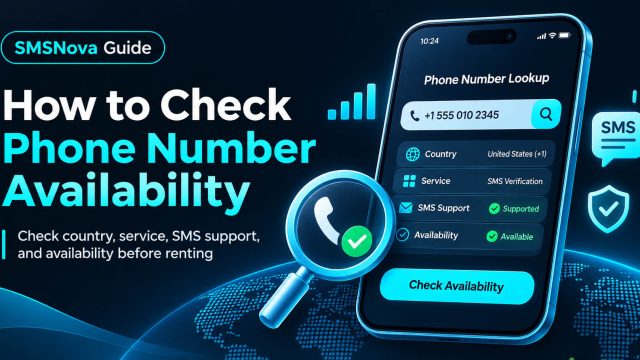
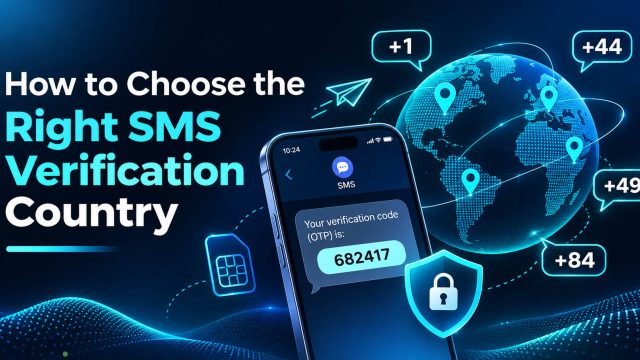
Before renting a number, check three factors: the number’s country, the supported service, and the displayed price. For example, if an application requires a number from a specific country, you need to select the corresponding country code. You should not simply choose the cheapest number while ignoring the platform’s verification requirements.
Step 4: Rent and Copy the Phone Number
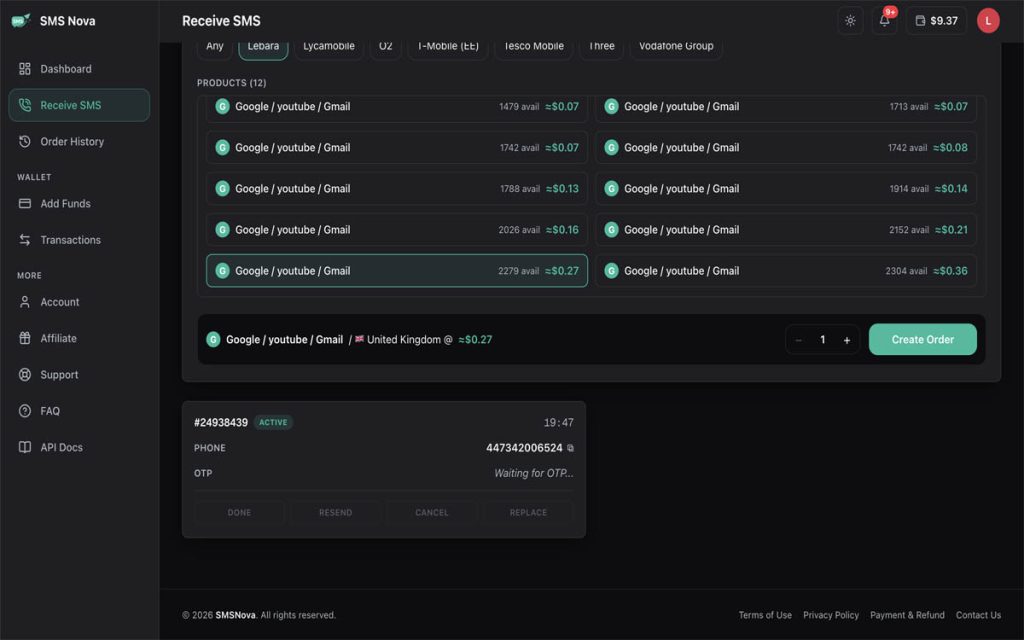
Once you have selected the correct service and country, check the price again and confirm the number rental through the SMSNova interface. If the order is successfully created, the system will provide a phone number for use during the rental session.
Copy the entire number, check the country code, and pay attention to its validity period. If you are looking for a solution using the keyword temp number receive sms online, this is precisely the temporary number model provided for each session, allowing you to receive messages without inserting a SIM card into your device.
Step 5: Enter the Number on the Website That Requires Verification
Return to the website or application where you need to receive the OTP code. Select the appropriate country code, paste the phone number you just rented into the required field, and request the verification code.
Check the number format before proceeding. Some websites automatically add the country code, so entering it twice may cause the number to be considered invalid. At the same time, do not repeatedly request OTP codes because the platform may limit the number of code requests.
Need a Virtual Number Right Now?
Skip the wait — rent an instant virtual number and start receiving SMS codes in seconds.
Step 6: Receive SMS on the SMS Nova Dashboard
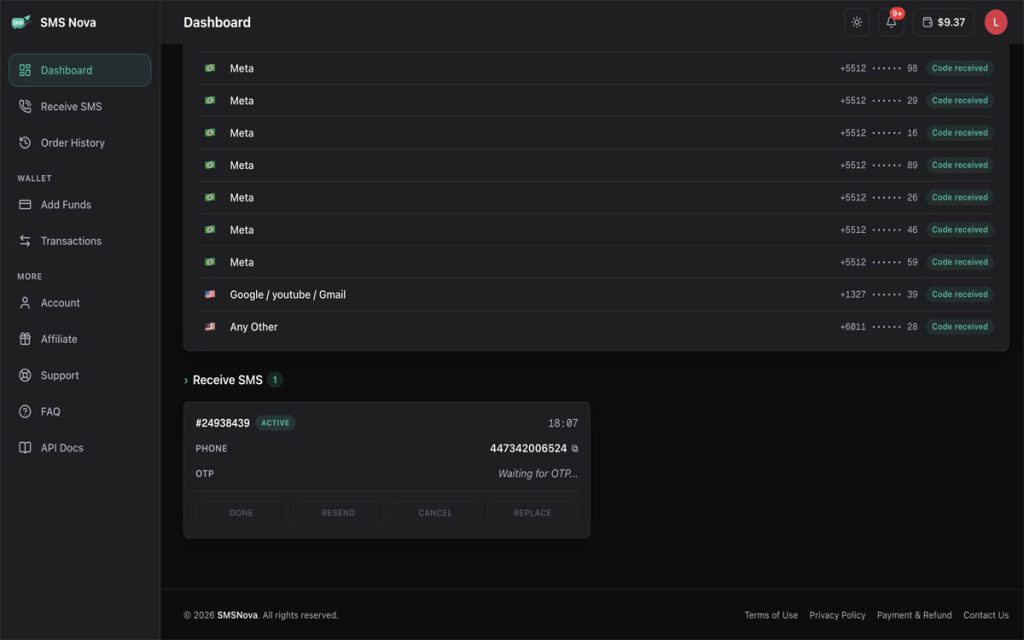
After requesting the code, return to the SMS Nova dashboard and open your active rental order. If the message is successfully sent and received by the system, the SMS content will appear in the order management section.
You can read the message, copy the OTP, and return to the original application to complete verification. The message receiving time depends on the sending system, carrier, and SMS route. There is no fixed delivery time that applies to every service.
Step 7: Check the Rental Order Status
After receiving the code, check the order status to confirm that the usage process has been completed. If you do not receive an SMS within the allowed period, the rental order may be eligible for an automatic refund under the applicable policy.
However, not every failed verification case is eligible for a refund. For example, selecting the wrong service, entering an incorrect number, or having a third-party website reject a virtual number may not qualify. You should review SMS Nova Payment and Refund Policy before using the service.
Start Receive SMS Online on SMS Nova
Is Free or Paid Receive SMS Online Better?
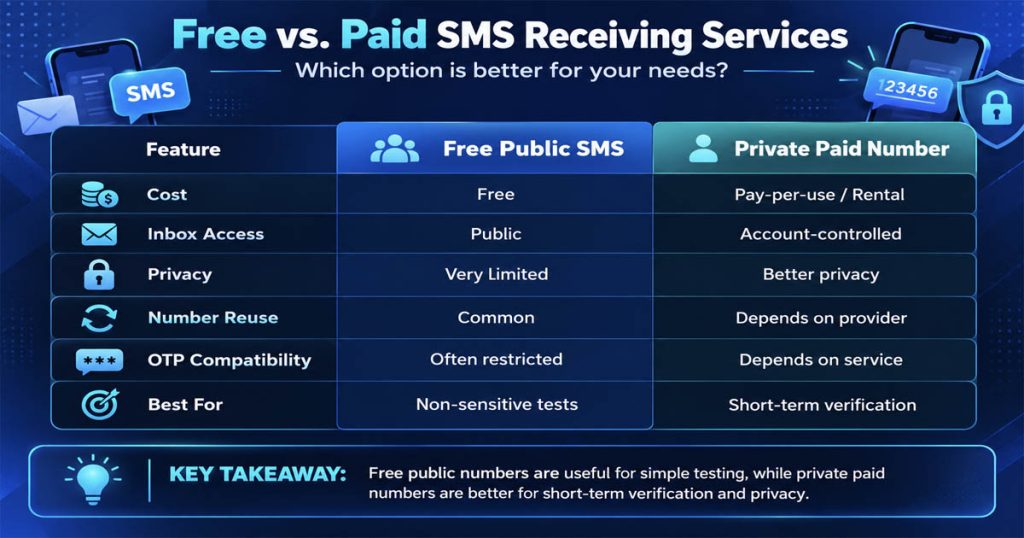
When choosing an online SMS receiving service, cost is not the only factor to consider. Some free services may be suitable for simple testing, but using a public inbox may allow other people to read the message content. Meanwhile, paid services often provide access through an account or rental session, helping reduce direct inbox sharing with other users.
| Criteria | Public Free SMS | Paid Temporary Number |
|---|---|---|
| Cost | Free | Per number or rental session |
| SMS access | Public | Account/session-based |
| Privacy | Low | Better, depending on the provider |
| OTP receiving capability | Often limited | Depends on the service |
| Usage period | Unstable | According to rental terms |
| Suitable for | Non-sensitive testing | Short-term verification |
If you only want to check whether a test message can be displayed, a free number may meet your needs. However, if the message contains private information, you should prioritize a solution with a clear access management mechanism.
Why Are You Not Receiving SMS or OTP Codes Online?
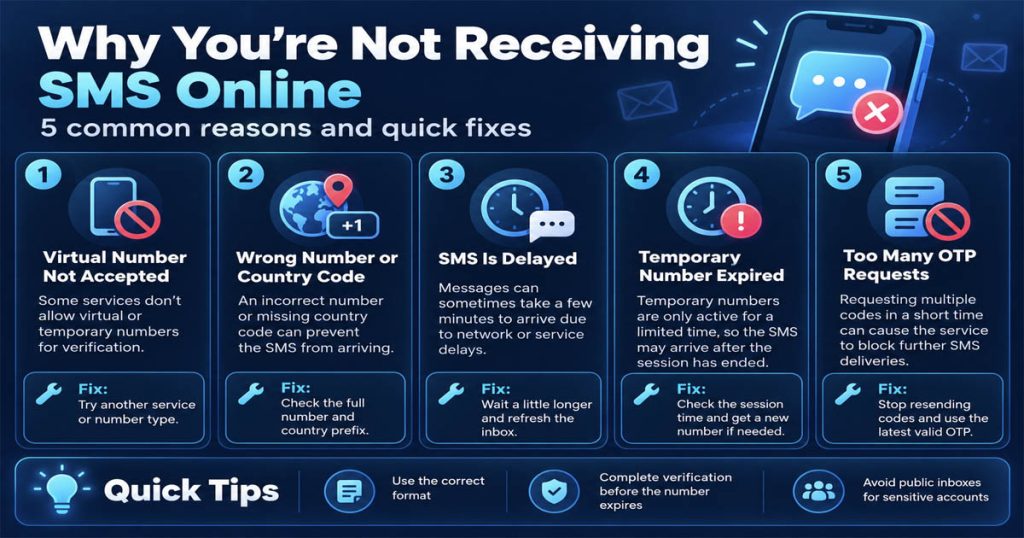
Even after successfully selecting a phone number, sometimes the verification code still does not appear. Below are some common causes and how to handle them.
The Website Does Not Accept Virtual Phone Numbers
Some applications only accept mobile numbers from certain carriers or countries. If the website reports that the number is invalid or unsupported, check its verification policy. Not all virtual numbers are compatible with every platform.
Incorrect Phone Number or Country Code
Entering too few digits, using the wrong country code, or adding the country code twice can all prevent SMS messages from being delivered correctly. Copy the number from the dashboard and compare it with the format required by the website.
Delayed Message Delivery
Sometimes SMS messages are delayed due to the message sending system, carrier, or international connection route. You should check the order status and wait within the allowed period. There is no need to repeatedly resend the code if there is no clear error notification.
The Phone Number Has Expired
Temporary numbers are only valid for a certain period. If the rental session ends before the SMS arrives, you may no longer be able to receive the message. Therefore, you should complete the verification process immediately after renting the number.
Too Many OTP Requests
Some platforms limit the number of code requests within a short period. Sending too many requests may result in a temporary lockout or cause older codes to become invalid. If you have received multiple OTP codes, prioritize using the most recent valid code.
To learn more, you can read the article How to Receive an SMS Verification Code Online.
Is Receive SMS Online Safe?
The level of safety depends on the type of number, provider, inbox access permissions, and how you use the SMS service.
Risks of Using Public SMS Inboxes
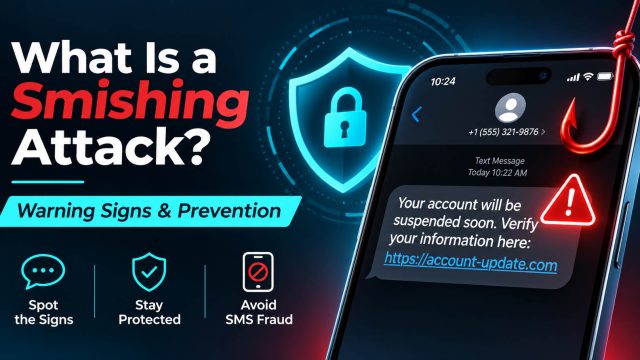
If messages are displayed publicly, other people may be able to read their contents, including OTP codes. This is particularly dangerous if you use the number to verify accounts containing personal or financial information. Therefore, you should not use public numbers to protect important accounts.
Are Private Virtual Phone Numbers Safer?
Services that use account-based dashboards can help limit other people’s direct access to SMS messages during a rental session. However, privacy does not depend only on whether the inbox is public. Users also need to pay attention to message retention policies, account protection, and the possibility of numbers being reused. A temporary phone number also does not guarantee complete anonymity.
Should You Use a Temporary Number for Two-Factor Authentication?
For important accounts, you should not use a short-term rented number as the sole method of two-factor authentication or account recovery. After the rental session expires, you may no longer be able to receive OTP codes when you need to log in again.
If the service allows it, use a long-term phone number, an Authenticator app, or passkeys to protect your account more effectively. In addition, do not share OTP codes with others, and only enter codes on official websites or applications.
When Should You Use a Receive SMS Online Service?
Online SMS receiving services may be suitable for many different needs.
Receiving Verification Codes for a Short Period
If you need to verify a phone number once on a service that allows temporary numbers, you can rent a number without purchasing a physical SIM card.
Limiting the Sharing of Your Personal Phone Number
Using a secondary number means you do not have to provide your primary number to every website, thereby reducing how widely your personal number is exposed across different platforms.
However, you should consider how long you will have access to the number if the account may need to be verified again.
Testing SMS Systems
Developers or QA staff can use authorized numbers to test OTP sending processes, message formats, receiving times, and expired-code handling.
Receiving Messages Without a Physical SIM Card
If you are using a laptop, tablet, or device with only Wi-Fi connectivity, an online SMS receiving platform can help you access messages sent to the provided number over the Internet. This is one of the most prominent practical applications of online SMS receiving services.
Frequently Asked Questions About Receive SMS Online
1. Can You Receive SMS Online Without a Phone?
Yes. If you use a service that provides an SMS inbox through a website, you can receive and read messages on a computer or tablet using only a browser and an Internet connection.
2. Can You Receive SMS Online for Free?
There are websites that provide free public phone numbers. However, these numbers are often shared, their ability to receive OTPs is limited, and the message contents may be viewed by other people.
3. Can You Receive SMS Online OTP Without a SIM Card?
Yes, if the online number supports SMS reception and is accepted by the platform sending the OTP. Not all virtual numbers or VoIP applications work with every verification service.
4. Can You Receive SMS on a Computer?
Yes. You can use the dashboard of a virtual phone number provider to read SMS in a browser without installing an SMS application on your phone.
5. Can You Receive SMS With Only Wi-Fi?
Yes, if you use an SMS reception service over the Internet. However, a Wi-Fi connection alone does not allow you to receive SMS sent to a mobile number that you do not have legitimate access to.
6. Can You Receive SMS Sent to Your Old Number Without a SIM Card?
You cannot simply enter your old phone number into a website to view SMS. You need to restore access to the number through your carrier or through a service that has been properly configured and authorized.
7. Can a Temporary Number for Receiving SMS Online Be Used Long-Term?
This depends on the type of service. Temporary numbers intended for one-time verification usually have a short validity period, and there is no guarantee that they will remain available after the rental session ends.
8. Can Virtual Phone Numbers Receive OTPs From Every Website?
No. The ability to receive OTPs depends on the platform, country, number type, and message-sending infrastructure. Some websites reject VoIP or temporary numbers to comply with their security policies.
Conclusion: Easily Receive SMS Online Without a SIM Card
Receive SMS online is a solution that allows users to receive messages over the Internet without necessarily inserting a physical SIM card into their devices. You can choose temporary phone numbers, free public numbers, VoIP applications, or eSIMs depending on your needs.
If you need to receive OTPs for a short period, a temporary number service with its own dashboard is an option worth considering. However, check compatibility, pricing, and usage duration before renting a number. With SMS Nova, users can choose a country, select a supported service, and receive SMS directly on the dashboard without needing to purchase an additional physical SIM card.
Need a Virtual Number Right Now?
Skip the wait — rent an instant virtual number and start receiving SMS codes in seconds.

 Apple
 Telegram