Need a Virtual Number Right Now?
Skip the wait — rent an instant virtual number and start receiving SMS codes in seconds.
What Is SMS Verification? How It Works and What You Need to Know · 2:06
Transcript
SMS verification has become a familiar part of the online experience. From registering an account, logging in on a new device, and resetting a password to confirming certain transactions, users are often required to enter a short code sent to their phone number. From the user's perspective, the process only takes a few steps: enter a phone number, wait for the SMS, and enter the OTP code. However, behind a code consisting of just a few digits is an entire processing chain between the website, the OTP generation system, SMS Gateway, carrier, and the device or phone number receiving the SMS. So, how does SMS verification work, is SMS Verification really safe, and what role do temporary phone numbers play in this process? The following article will explain this from the perspective of someone working with virtual number services and online SMS receiving systems. What Is SMS Verification? SMS Verification is a method in which a website or application sends a verification code to the phone number provided by the user. The user then enters the code back into the system to prove that they have access to the phone number. The basic process can be understood very simply: Enter phone number → Receive SMS code → Enter code → Complete verification. The code sent is usually an OTP – One-Time Password, meaning a password that is used only once. An OTP has a short validity period and is usually valid only for a specific verification request. Once the code has been used or its validity period has expired, the system will reject it if the user enters it again. In practice, “SMS Verification” and “SMS Authentication” are often used with similar meanings. However, more precisely, SMS Verification primarily checks whether the user has access to the phone number, while SMS Authentication usually refers to SMS being used as a component of the identity authentication process.
SMS verification has become a familiar part of the online experience. From registering an account, logging in on a new device, and resetting a password to confirming certain transactions, users are often required to enter a short code sent to their phone number.
From the user’s perspective, the process only takes a few steps: enter a phone number, wait for the SMS, and enter the OTP code. However, behind a code consisting of just a few digits is an entire processing chain between the website, the OTP generation system, SMS Gateway, carrier, and the device or phone number receiving the SMS.
So, how does SMS verification work, is SMS Verification really safe, and what role do temporary phone numbers play in this process? The following article will explain this from the perspective of someone working with virtual number services and online SMS receiving systems.
What Is SMS Verification?
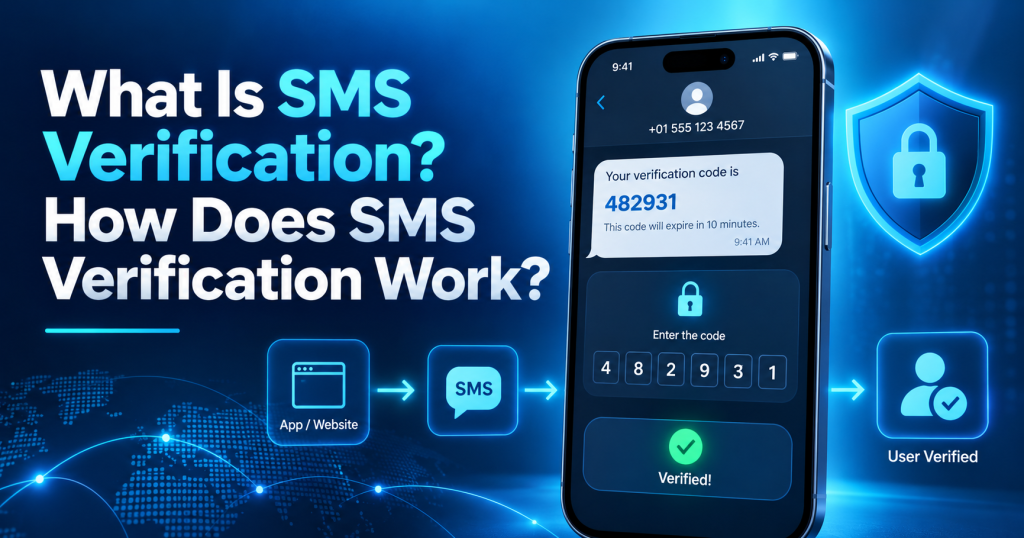
SMS Verification is a method in which a website or application sends a verification code to the phone number provided by the user. The user then enters the code back into the system to prove that they have access to the phone number.
The basic process can be understood very simply:
Enter phone number → Receive SMS code → Enter code → Complete verification.
The code sent is usually an OTP – One-Time Password, meaning a password that is used only once. An OTP has a short validity period and is usually valid only for a specific verification request. Once the code has been used or its validity period has expired, the system will reject it if the user enters it again.
In practice, “SMS Verification” and “SMS Authentication” are often used with similar meanings. However, more precisely, SMS Verification primarily checks whether the user has access to the phone number, while SMS Authentication usually refers to SMS being used as a component of the identity authentication process.
For example, when you register a new account and enter an OTP to verify your phone number, this is usually SMS Verification. If you already have a password and then need to enter an additional OTP sent via SMS before you can log in, SMS is becoming an additional authentication factor.
The second case can be considered two-factor authentication – 2FA when the password and access to the phone number serve as two different factors.
If you want to learn more about this concept, you can also refer to the article “What Is SMS Verification?” on SMS Nova.
How Does the SMS Authentication Process Work?
This is the most important part to understand the nature of SMS Verification. An OTP does not simply “appear” on a phone but has to pass through multiple layers of infrastructure before reaching the recipient.
Step 1: The User Enters a Phone Number
The process begins when the user enters a phone number into a website or application. The information usually includes the phone number and country code. At this stage, the system may check the number format, country, SMS sending capability, or apply certain anti-spam and anti-abuse rules. If the country code is incorrect or the number is entered in the wrong format, the OTP may never reach its destination.
Step 2: The System Generates an OTP Code
After the phone number is accepted, the website or application server generates a verification code. A good OTP is usually tied to a specific verification session, has a validity period, and can only be used once. The system may also limit the number of incorrect attempts or the number of times the code can be resent. This helps reduce the possibility of an OTP being reused after the verification process has been completed.
Step 3: The OTP Is Sent to an SMS Gateway
The OTP code is then placed in the SMS content and sent to an SMS service provider.
The data flow can be visualized as follows:
Website/App → SMS Provider → SMS Gateway → Carrier → User’s Phone Number.
The SMS Gateway acts as an intermediary between the application and the telecommunications infrastructure. This system receives the message-sending request, determines the appropriate route, and forwards the SMS to the carrier or destination system. For products operating in multiple countries, choosing the SMS route is very important because each market has different carriers, regulations, and routing quality.
Step 4: The Carrier Delivers the SMS to the Phone Number
After receiving the message, the telecommunications system continues routing the SMS to the destination number. If it is a traditional phone number, the message is usually delivered to the subscriber’s SIM or eSIM.
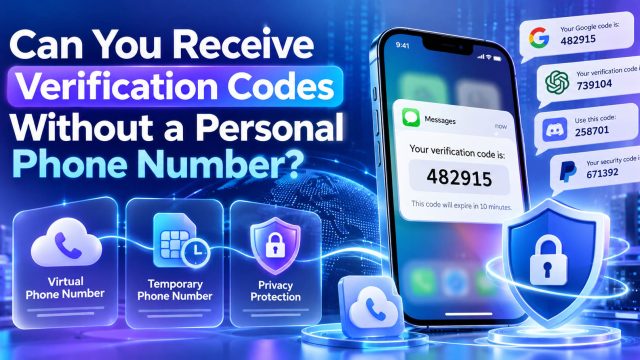
If the user is using a temporary phone number or virtual phone number that supports SMS, the message may be received by the provider’s online infrastructure and displayed on the dashboard instead of appearing in the SMS application of a physical phone. This is the mechanism that makes receiving SMS online possible.
Step 5: The User Receives the OTP Code
When the message reaches its destination, the user sees the code in the SMS application, on an SMS receiving website, or on the dashboard of the virtual number service.
At this stage, speed is very important. OTPs are usually designed to exist only for a short period of time to reduce the risk of unauthorized use. Therefore, users should retrieve the code and enter it immediately after receiving it.
Step 6: The User Enters the Verification Code
The website receives the OTP entered by the user and compares it with the data stored on the server. The system does not only check whether the digits are correct. It may also check whether the code has expired, whether it has already been used, and whether it belongs to the correct login session or current verification request. If all conditions are met, the OTP is accepted.
Step 7: The System Completes the Authentication
When the code is valid, the system can verify the phone number, allow the user to log in, or confirm a specific action. If the code is incorrect, the user may be allowed to try again. However, when too many incorrect attempts are made, the system will usually further limit requests, temporarily lock the process, or require a new OTP to be generated.
Why Is SMS Verification Sometimes Delayed?
In practice, an OTP does not always arrive immediately.
SMS can be delayed because the SMS Gateway is overloaded, the carrier is processing the message slowly, the international SMS route has encountered a problem, or the application’s OTP sending system is receiving too many requests.
Another reason is that the user repeatedly clicks Resend OTP. Many platforms use rate limits to prevent spam, so repeatedly sending requests can sometimes cause SMS delivery to be restricted rather than making the message arrive faster.
If a virtual phone number is used, compatibility between the number and the platform sending the SMS is also a factor that needs to be taken into account.
Where Is SMS Verification Commonly Used?
Account Registration
This is one of the most common applications of SMS Verification. A platform may require a phone number when creating an account to verify the user, reduce automated accounts, or increase the cost of creating fake accounts in bulk.
For example, community platforms or online applications such as Discord may require phone number verification in certain situations.
Account Login
A system may send an OTP when it detects a login from a new device, an unusual login session, or when the user activates an additional security layer. Instead of relying only on a password, the service requires additional access to the phone number.
Two-Factor Authentication
In the common model:
Password → SMS OTP → Account Access
the password is the first factor, and the OTP sent to the phone number serves as an additional factor. Although SMS-based 2FA is not the strongest option in every situation, it remains accessible to general users.
Password Recovery
SMS also commonly appears during the password reset process. The system sends an OTP to the registered number. If the user enters the correct code, they may be allowed to create a new password. This is also why you should not use a temporary number as a recovery method for an account that needs to be maintained for many years.
Transaction Confirmation
SMS may be used when making payments, changing account information, or confirming a high-risk action. In the financial sector, SMS should generally only be one part of a multi-layered security system rather than the only layer of protection.
Social Media and Messaging Applications
Social media platforms and communication applications may use SMS Verification to verify phone numbers, confirm devices, or limit some fake accounts.
Queries such as “SMS verification for Roblox”, “verifycation phone Discord”, or similar services often come from this need. However, policies regarding support for virtual and temporary numbers may differ between platforms and may change over time.
E-Commerce
In e-commerce, SMS may be used during registration, order confirmation, account recovery, or fraud prevention. The advantage of SMS in this context is that users do not need to install a separate authentication application.
Need a Virtual Number Right Now?
Skip the wait — rent an instant virtual number and start receiving SMS codes in seconds.
Website and Application Testing
Developers and QA Testers are also groups that frequently need to work with SMS Verification. They may need to test OTP delivery, OTP timeout, Resend OTP, incorrect codes, SMS routing, or verification capabilities in multiple countries. In this case, using temporary phone numbers helps avoid using the personal phone numbers of individual team members as test data.
Temporary Phone Numbers and SMS Nova
The market currently offers many types of online SMS receiving services, ranging from free public numbers to temporary numbers by country or by service. For people who need to receive OTPs for a short period, SMS Nova focuses on providing temporary phone numbers for receiving SMS verification codes online.
The process is suited to practical needs: users choose a country, select a service or available number, use that number for the verification step, and receive the SMS directly through the system.
For example, a developer in Germany who needs to test a verification flow using a temporary phone number United States can choose a suitable number if the route and service are supported.
The important point when choosing any provider is not only whether it “has numbers available”, but also to consider supported countries, SMS receiving capability, number validity period, and compatibility with the platform requiring verification.
What Are the Benefits and Limitations of SMS Verification?
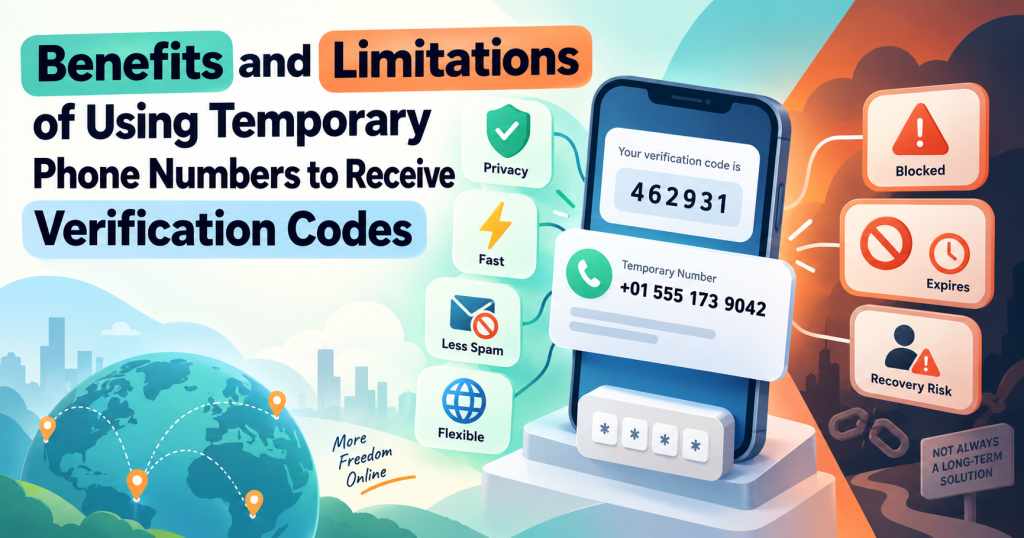
Benefits of SMS Verification
The first advantage is ease of use. Users only need to receive the SMS, read the code, and enter the OTP. Not everyone is familiar with security keys or authentication apps, but most phone users know how to read a text message.
SMS also has wide accessibility. This method does not depend entirely on modern smartphones and can work on many types of devices. Another advantage is familiarity. The OTP process has existed for many years, so users usually understand immediately what they need to do. From the business side, SMS Verification is relatively easy to integrate through SMS API, SMS Gateway, or verification service providers.
Requiring a phone number can also increase the cost of creating accounts in bulk, thereby helping to limit some bots, spam, and fake accounts.
Limitations of SMS Verification
The most noticeable limitation is that SMS can be delayed or may not arrive. The quality depends on the carrier, country, SMS route, gateway, and the platform’s policies. SMS also depends on whether the user still has control over the phone number. If you lose your SIM card, change your number, or use a temporary number that has expired, recovering the account may become difficult.
Another notable risk is SIM Swap. This is a situation in which an attacker attempts to transfer the victim’s phone number to another SIM card. If successful, some SMS verification messages may be delivered to the attacker’s device.
There is also the risk of phishing. Scammers may create fake websites or impersonate support staff to persuade users to provide their OTPs. An important principle is: do not share your OTP with anyone simply because they ask for it. SMS is also not the strongest 2FA method available today. For particularly sensitive accounts, an Authenticator App, passkey, or security key is often a more worthwhile option to consider.
Finally, not every temporary phone number is accepted. Some platforms may detect and reject Virtual Numbers, VoIP Numbers, Disposable Numbers, or Shared Numbers in order to limit abuse.
Who Commonly Uses SMS Authentication?
Individual users are the most visible group. They use SMS when registering accounts, logging in, recovering passwords, or confirming actions.
Websites and applications use SMS Verification to verify phone numbers and help prevent spam.
E-commerce businesses may use SMS for customer registration, order confirmation, or certain verification steps.
Financial platforms may also use SMS to send notifications and confirmation codes, although for these accounts, the security system should have multiple layers.
Developers and QA Testers use SMS differently: they need to test the entire OTP lifecycle, from the API that sends the code to delivery time, errors, rate limits, and routing.
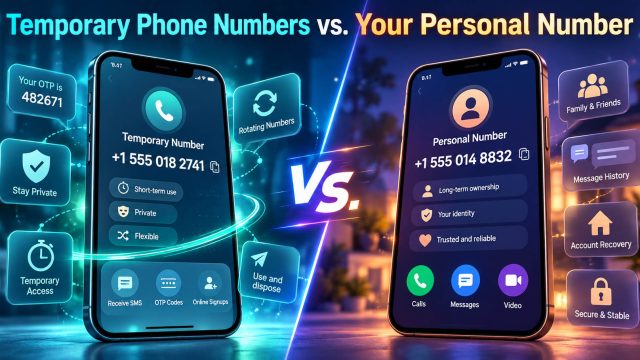
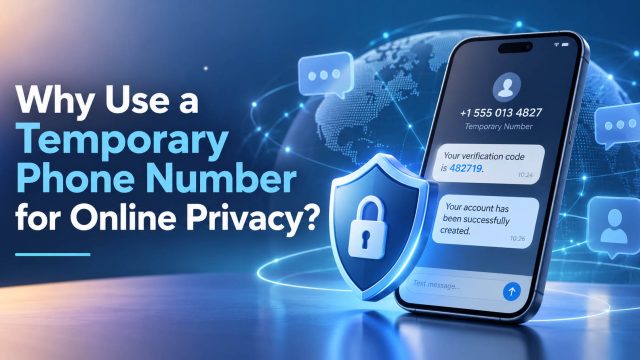
Finally, there are people who are concerned about privacy. In legitimate cases and when permitted by the platform, virtual phone numbers or temporary phone numbers can help them avoid providing their primary number to every service just to receive a verification code.
Frequently Asked Questions About SMS Authentication
Is SMS Authentication Safe?
SMS is suitable for many common use cases, but it is not the strongest method for every account. For highly sensitive data, you should consider an Authenticator App, passkey, or security key.
How Many Times Can an OTP Be Used?
Usually only once. After it has been verified or has expired, the code is no longer valid.
How Long Is an OTP Valid?
This depends on each system. Platforms usually set a relatively short validity period to reduce the risk of the code being used without authorization.
Why Am I Not Receiving the SMS Verification Code?
Common causes include entering the wrong number, using the wrong country code, delayed SMS, carrier issues, an unsupported number, or the system limiting the number of times an OTP can be sent.
Can You Receive SMS Codes Using a Temporary Phone Number?
Yes, if the number supports SMS, the sending route is compatible, and the website accepts that type of number. Not every platform supports temporary numbers.
Can a Virtual Phone Number Be Used for SMS Verification?
Some virtual numbers support SMS Verification, but their ability to work depends on the number type, provider, and policies of the platform sending the code.
Is SMS Verification the Same as 2FA?
Not exactly. SMS Verification may simply be a step to verify a phone number. It becomes part of 2FA when combined with another factor, such as a password.
How Is SMS OTP Different from an Authenticator App?
SMS OTP is transmitted through the telecommunications network and depends on a phone number. An Authenticator App usually generates codes directly on the device and does not require waiting for an SMS, making it more suitable in many situations that require a higher level of security.
Should You Use SMS as an Account Recovery Method?
You can if it is a number that you control long-term. You should not use a temporary phone number as the primary recovery method because the number may expire or be reassigned.
Can You Use a Number from Another Country to Receive an OTP?
Yes, if the provider has a number in that country, the platform accepts it, and the SMS route is compatible.
Conclusion
SMS Verification works by generating an OTP code, sending the code through an SMS Gateway and telecommunications network to a phone number, and then requiring the user to enter the code again to prove access. This method is simple, familiar, and easy to implement, but it still has limitations related to delays, phishing, SIM Swap, and dependence on a phone number.
For short-term verification needs, temporary phone number or virtual phone numbers can be a useful solution if the platform allows them. However, for important accounts, you should prioritize a phone number and authentication method that you can reliably control over the long term.
Need a Virtual Number Right Now?
Skip the wait — rent an instant virtual number and start receiving SMS codes in seconds.

 Apple
Apple  Telegram