Need a Virtual Number Right Now?
Skip the wait — rent an instant virtual number and start receiving SMS codes in seconds.
Phone number verification has become a familiar step when we register an account, log in on a new device, recover a password, or confirm an online action. In many cases, the system sends a short sequence of numbers to the phone and asks the user to enter the code again to continue.
This method is known as SMS Verification. Its main purpose is to check whether the user actually controls the phone number they provided.But behind an OTP consisting of just a few digits is an entire process involving the application server, SMS Gateway, messaging service provider, carrier, and recipient’s phone number. So, what is SMS Verification, how does SMS Verification work, is it safe, and can a temporary phone number be used to receive an OTP?
The following article will explain the entire process in an easy-to-understand way while still providing sufficient technical depth.
What Is SMS Verification?
The Concept of SMS Verification
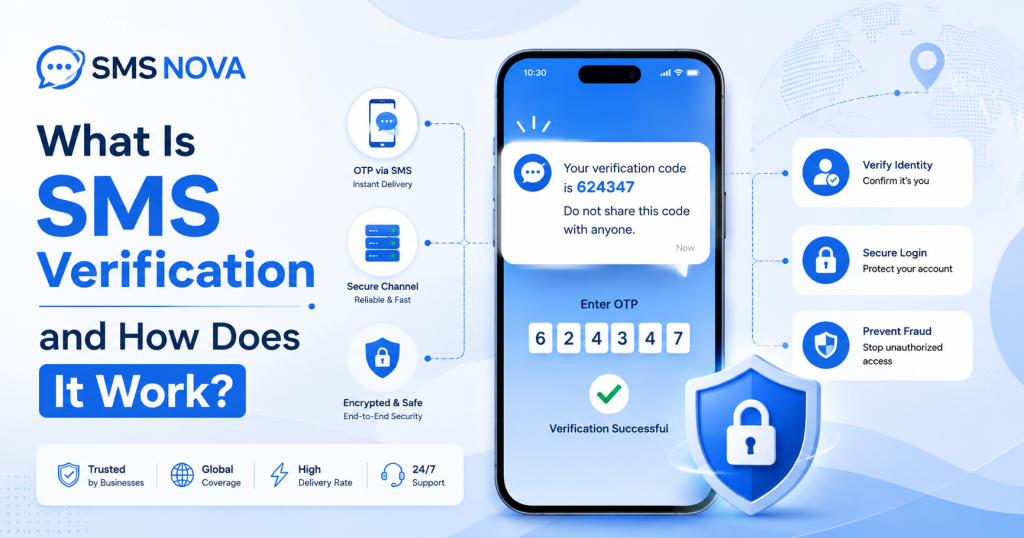
SMS Verification is the process in which a website or application sends a verification code to the phone number provided by the user. The user then enters the code back into the system to prove that they have access to that phone number. The basic process can be summarized as follows:
Enter phone number → Receive SMS code → Enter OTP code → Complete verification
The code sent usually has a short validity period and applies only to a specific request. After it has been successfully used or has expired, the code is no longer valid.
In practice, you may come across many related terms such as:
- SMS Verification.
- SMS Authentication.
- SMS Verification.
- SMS Authentication.
- OTP via SMS.
- SMS verification code.
- SMS 2FA.
These terms are related but are not completely synonymous.
SMS Verification is usually used to verify that the user controls a phone number. For example, when creating a new account, the platform sends an OTP to confirm the newly registered number.
SMS Authentication generally refers more broadly to using SMS as a step in the identity authentication process.
Meanwhile, two-factor authentication via SMS – SMS 2FA is only truly two-factor authentication when SMS is combined with another factor, such as a password.
How Does the SMS Verification Process Work?
For users, SMS Verification may seem very simple. However, behind this process, multiple systems are involved.
Step 1 – The User Logs In on the Website or Application
The process begins when the user performs an action that requires verification, such as:
- Registering an account.
- Logging in.
- Recovering a password.
- Changing security information.
- Confirming an action.
The website or application determines that a phone number verification step is required before allowing the user to continue.
Step 2 – The User Enters a Phone Number
The user provides a phone number and the corresponding country code. The system may check:
- Number format.
- Country code.
- Number type.
- Country of the number.
- Frequency of OTP requests.
- Some anti-spam or anti-fraud signals.
If the number is entered incorrectly or the country code is inaccurate, the verification code may not reach the recipient.
Step 3 – The System Generates an OTP Code
After the phone number is accepted, the server generates a unique OTP code. An OTP usually has three important characteristics:
First, the code is only valid for a short period of time. Second, the code can usually only be used once. Third, the code is linked to a specific verification request. This helps limit the possibility of an old code being reused after the verification process has been completed. The system then sends a request to the SMS provider.
Step 4 – The Message Is Routed to the Phone Number
The carrier or telecommunications system continues routing the SMS to the destination phone number. If the user uses a regular SIM or eSIM, the message will appear in the SMS application on the phone.
If a virtual phone number or temporary phone number that supports SMS is used, the message may be routed to an online system and displayed on the provider’s dashboard. This is the mechanism that allows users to receive SMS online without necessarily having to insert the corresponding SIM into the device.
Step 5 – The User Enters the Verification Code
After receiving the SMS, the user retrieves the OTP code and enters it into the website or application.
The system checks multiple factors, not just whether the digits are correct:
- Is the OTP correct?
- Is the code still valid?
- Has the code already been used?
- Does the code belong to the correct current verification session?
If all conditions are valid, the request is accepted.
Step 6 – The System Completes the Authentication
After the correct code is confirmed, the system may:
- Verify the phone number.
- Allow the user to log in.
- Allow the user to reset the password.
- Complete the registration.
- Confirm the action.
If the user enters the wrong OTP multiple times, the platform may temporarily limit the number of attempts, require a new code to be generated, or lock the request for a certain period of time.
Advantages of SMS Verification
Easy to Use and Relatively Safe for Many Common Use Cases
One major advantage of SMS Verification is its simplicity. Users only need to receive the SMS, read the code, and enter the OTP again. There is no need to understand complicated security configurations.
For many services with a normal level of risk, requiring users to prove access to a phone number provides an additional layer of protection compared with relying only on a password. However, SMS should not be considered the strongest security method in every situation.
Common and Easily Accessible
SMS works on many types of devices, from modern smartphones to basic phones Users also do not necessarily need to install an additional authentication app. This makes SMS Verification an easily deployable solution for services with a large and diverse user base.
Relatively Fast Verification Speed
Under normal conditions, an SMS OTP can arrive within just a few seconds. Users can complete the entire verification process in a very short time:
Enter number → Receive OTP → Enter code → Complete
This is why SMS is still widely used for onboarding and account registration.
Can Support Global Users
An SMS provider with a good international network can send verification codes to many countries. This is particularly useful for:
- International SaaS.
- E-commerce.
- Social media.
- Messaging applications.
- Marketplaces.
- Multinational online services.
However, the quality of the SMS route may vary between different markets.
Reasonable Cost
For many businesses, SMS Verification has a relatively predictable implementation cost. Businesses can integrate it through:
- SMS API.
- SMS Gateway.
- OTP provider.
- Communication Platform as a Service.
The actual cost depends on the country, carrier, number of messages, and SMS route used.
Challenges of SMS Verification
Although widely used, SMS Verification is not a perfect solution.
SMS May Be Delayed or May Not Arrive
An OTP may arrive after a few seconds, but sometimes users have to wait longer or do not receive the message at all.
Reliability depends on:
- Carrier.
- Country.
- SMS route.
- SMS Gateway.
- Infrastructure of the platform sending the code.
- Anti-spam policies.
For example, an international message may have to pass through more intermediary layers than a domestic SMS, thereby increasing the possibility of delays. Requesting an OTP too many times may also trigger a rate limit.
Dependence on Access to the Phone Number
SMS Authentication is based on one assumption: the legitimate user still controls the registered phone number.
Problems arise when the user:
- Loses the SIM card.
- Changes their number.
- Loses control of the number.
- Stops using the subscription.
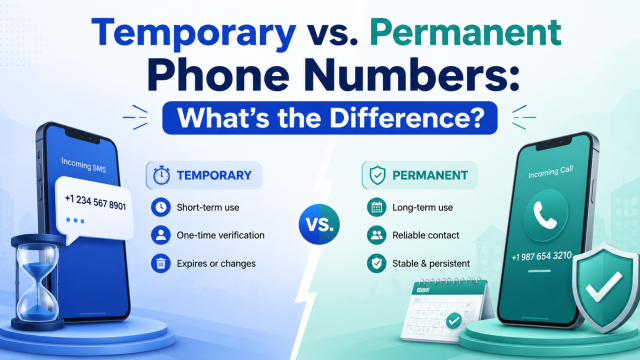
- Uses a temporary phone number that has expired.
In these cases, the OTP may be sent to a number that the user can no longer access. This is why you should not use a temporary phone number as a long-term recovery method for an important account.
Security Vulnerability Risks
One of the commonly mentioned risks is SIM Swap. In this scenario, an attacker attempts to transfer the victim’s phone number to another SIM card. If successful, some SMS OTPs may be sent to a device controlled by the attacker. There is also phishing. Malicious actors may impersonate a website or support staff to ask the victim to provide an OTP. Therefore, an OTP should not be sent to someone else simply because they actively ask for it.
Synchronized Devices
A less noticeable issue is that SMS messages may be synchronized across multiple devices.
For example, a user’s device ecosystem may allow messages to appear on:
- Phone.
- Tablet.
- Laptop.
- Other devices using the same account.
This provides convenience but also increases the number of points where a verification code can be seen. If an old device is still logged in or is accessed by someone else, the OTP may be unintentionally exposed. Therefore, users should regularly check their logged-in devices and sign out of devices they no longer use.
Who Uses SMS Verification?
Individual Users
Users encounter SMS Verification when:
- Creating an account.
- Logging in.
- Recovering a password.
- Verifying a device.
- Confirming an action.
Social Media and Messaging Applications
These platforms may use SMS to:
- Verify a phone number.
- Limit automated accounts.
- Confirm a login.
- Confirm a new device.
E-commerce Websites
SMS may appear in:
- Account registration.
- Account recovery.
- Order confirmation.
- Confirmation of certain high-risk actions.
People Concerned About Privacy
Another group consists of people who do not want to enter their personal phone number into every online service. In cases where the platform allows it, they can use a temporary phone number or virtual phone number to receive OTPs for short-term or unimportant accounts. The goal here is not to create “absolute anonymity,” but to reduce the unnecessary distribution of a personal phone number.
Is SMS Verification Safe?
The accurate answer is: it depends on the type of account and the level of risk.
When Is SMS Verification Safe Enough?
SMS Verification may be suitable for:
- Regular account registration.
- Phone number verification.
- Less sensitive accounts.
- Some actions that do not involve high financial risk.
It still has value because it requires users to have access to a specific phone number.
Need a Virtual Number Right Now?
Skip the wait — rent an instant virtual number and start receiving SMS codes in seconds.
When Should You Use a Stronger Method?
For:
- Banking.
- Financial accounts.
- Primary email.
- Administrator accounts.
- Enterprise systems.
- Accounts containing highly sensitive data.
stronger methods should be considered, such as:
- Authenticator App.
- Passkey.
- Hardware Security Key.
These methods reduce dependence on SMS networks and phone numbers.
How to Use SMS Verification More Safely
Some important principles:
Do not share OTPs.
The code should only be entered on the website or application where you have just requested the code to be sent.
Check the URL before entering the code.
Phishing websites may copy the interface of a legitimate service to steal OTPs.
Do not use a public SMS inbox for sensitive data.
If messages are displayed publicly, other people may be able to read the code.
Do not use a temporary phone number as a long-term recovery method.
The number may expire or be reassigned.
Enable additional security methods if available.
For example, an Authenticator App, recovery code, or passkey.
How to Choose an SMS Verification Service
If the goal is to receive SMS verification codes online, you should not choose a service based only on price.
Country Support
Check whether the provider offers:
- The country you need.
- A suitable number type.
- SMS routes in the corresponding market.
Application Compatibility
Not every number is accepted by every platform. A good service should help users know which numbers or countries are suitable for the application that needs to be verified.
SMS Receiving Speed and Reliability
OTPs usually have a short validity period. A good SMS receiving service should have:
- A fast-updating dashboard.
- Stable SMS routes.
- Clear number status.
Safety and Security
It is necessary to distinguish between:
- Private numbers.
- Shared numbers.
- Public SMS inboxes.
If privacy is important, public inboxes should be avoided.
Pricing and Policies When SMS Does Not Arrive
Check:
- The price for renting a number.
- The price per verification.
- The usage period.
- The number replacement or refund policy, if any.
Clear Terms of Use
The provider should clearly state:
- Permitted purposes of use.
- Service limitations.
- Privacy policies.
- Abuse prevention policies.
Customer Support
Support is especially important when:
- The OTP does not arrive.
- The number expires unexpectedly.
- You encounter payment issues.
- You need to check compatibility.
How to Receive SMS Verification Codes Using SMS Nova
It should be clarified that SMS Nova is not a system that generates and sends OTPs on behalf of the website that needs verification. SMS Nova provides temporary phone numbers and virtual phone numbers for users to receive SMS verification codes online.
How Does SMS Nova Support SMS Verification?
The process is very simple. Users select a suitable phone number on SMS Nova, enter that number into the application that needs verification, request the application to send an OTP, and then return to SMS Nova to read the SMS. This is suitable for cases where users do not want to use their primary phone number for a short-term registration.
Steps to Receive an SMS Verification Code on SMS Nova
Step 1 – Choose a Country
Select the country of the phone number that is suitable for your needs.
Step 2 – Choose the Service That Needs Verification
For example, if you need a temporary phone number for Tinder, select the corresponding service if SMS Nova currently supports it. You should not assume that every number works with every platform.
Step 3 – Choose an Available Phone Number
Check the number, country code, and usage period.
Step 4 – Enter the Number into the Website or Application
Copy the number and enter it into the phone verification field. Then request the platform to send an OTP.
Step 5 – Return to SMS Nova to Receive the Code
Monitor the dashboard and wait for the message to appear.
Step 6 – Enter the Code and Complete Verification
Copy the OTP, return to the application, and enter the code before it expires.
When Should You Use SMS Nova?
SMS Nova may be suitable when you:
- Only need to receive an OTP for a short period.
- Do not want to provide your primary number.
- Need a number from another country.
- Test SMS Verification.
- Need to receive SMS online.
Cases Where You Should Not Use It
Temporary numbers should not be used as the primary method for:
- Banking.
- E-wallets.
- Primary email.
- Important business accounts.
- Accounts that need to be recovered after many years.
In these cases, a number that you own and control long-term is more suitable.
FAQ About SMS Verification
Is SMS Verification Safe?
It can be suitable for many common needs, but it is not the strongest security method for particularly sensitive accounts.
How Many Times Can an OTP Be Used?
Usually only once. After the OTP is accepted, the code cannot be used again.
How Long Does an OTP Last?
It depends on the platform. The code usually has a short validity period to reduce the risk of misuse.
Why Does the SMS Code Not Arrive?
Some common causes include:
- Incorrect phone number.
- Incorrect country code.
- Delayed SMS.
- Gateway or carrier errors.
- The number is not supported by the application.
- Too many OTP requests.
Can a Temporary Phone Number Receive an OTP?
It can if the number supports SMS, the route is compatible, and the website accepts that type of number. No temporary phone number is guaranteed to work with every platform.
Can a Virtual Phone Number Be Used for SMS Verification?
Yes. However, this depends on the type of number, the provider, and the policy of the website sending the OTP.
Is SMS Verification the Same as 2FA?
Not exactly. SMS Verification may only be a step for verifying a phone number. It becomes part of 2FA when combined with another factor, such as a password.
Can You Receive an OTP Without a Physical SIM?
Yes. Some types of virtual phone numbers and temporary phone numbers support receiving SMS online without requiring users to directly install the corresponding SIM.
Can You Receive an OTP from a Number in Another Country?
It is possible if the provider has a number in that country, the platform accepts the number, and the SMS route is compatible.
Should You Use a Temporary Phone Number for Account Recovery?
You should not if you cannot ensure that you will continue to have access to the number in the future.
Conclusion
SMS Verification is a method that uses an OTP sent to a phone number to verify a user’s access. The process usually goes from the website or application through an SMS Gateway, carrier, or SMS route before the code reaches the receiving phone number.
The biggest advantages of SMS Verification are that it is simple, fast, familiar, and easy to implement. However, this method still has limitations such as delayed SMS, phishing, SIM Swap, message synchronization across multiple devices, and dependence on control of the phone number.
For short-term verification needs, temporary phone number or virtual phone number can help users receive OTPs without having to provide their primary number to every service, as long as the platform allows it. In suitable cases, SMS Nova provides a convenient way to choose a phone number and receive SMS verification codes online.
Need a Virtual Number Right Now?
Skip the wait — rent an instant virtual number and start receiving SMS codes in seconds.

 Apple
Apple  Telegram