Need a Virtual Number Right Now?
Skip the wait — rent an instant virtual number and start receiving SMS codes in seconds.
What Is Smishing Attack? How to Recognize SMS Phishing Attacks · 2:10
Transcript
You receive a text message from your bank notifying you that your account is being locked and asking you to verify it immediately. The message displays a familiar sender name, uses professional wording, and contains a link that looks like the official website. However, it could be a Smishing Attack. Smishing is a form of SMS-based fraud in which scammers impersonate trusted organizations to steal recipients' personal information, passwords, OTP codes, or money. What makes it dangerous is that these messages are becoming increasingly difficult to recognize. They may use real brand names, create a sense of urgency, or appear in an existing SMS conversation. So, what is a Smishing Attack, how does it work, and how can you recognize fraudulent text messages? This article explains common attack methods, warning signs, and effective measures to protect your accounts. What Is a Smishing Attack? Smishing Attack is a form of phishing attack that uses SMS text messages or similar messaging channels to deceive recipients into revealing sensitive information, accessing malicious links, or carrying out fraudulent transactions. The term Smishing is a combination of two words: SMS (Short Message Service): A text messaging service. Phishing: A form of fraud intended to steal information or manipulate users. Smishing belongs to the category of Social Engineering attacks. Instead of directly breaking into security systems, scammers exploit people's trust, fear, or lack of vigilance to make victims perform harmful actions themselves. For example, a fake bank message may ask the recipient to visit a website to verify a transaction. If the victim enters their login information on the fake website, their account may be at risk of being compromised. Is Smishing the Same as SMS Spam? SMS Spam refers to unwanted text messages, often related to advertising or mass marketing. In contrast, Smishing is intended to commit fraud, such as stealing passwords, card information, or money.
You receive a text message from your bank notifying you that your account is being locked and asking you to verify it immediately. The message displays a familiar sender name, uses professional wording, and contains a link that looks like the official website. However, it could be a Smishing Attack.
Smishing is a form of SMS-based fraud in which scammers impersonate trusted organizations to steal recipients’ personal information, passwords, OTP codes, or money. What makes it dangerous is that these messages are becoming increasingly difficult to recognize. They may use real brand names, create a sense of urgency, or appear in an existing SMS conversation.
So, what is a Smishing Attack, how does it work, and how can you recognize fraudulent text messages? This article explains common attack methods, warning signs, and effective measures to protect your accounts.
What Is a Smishing Attack?
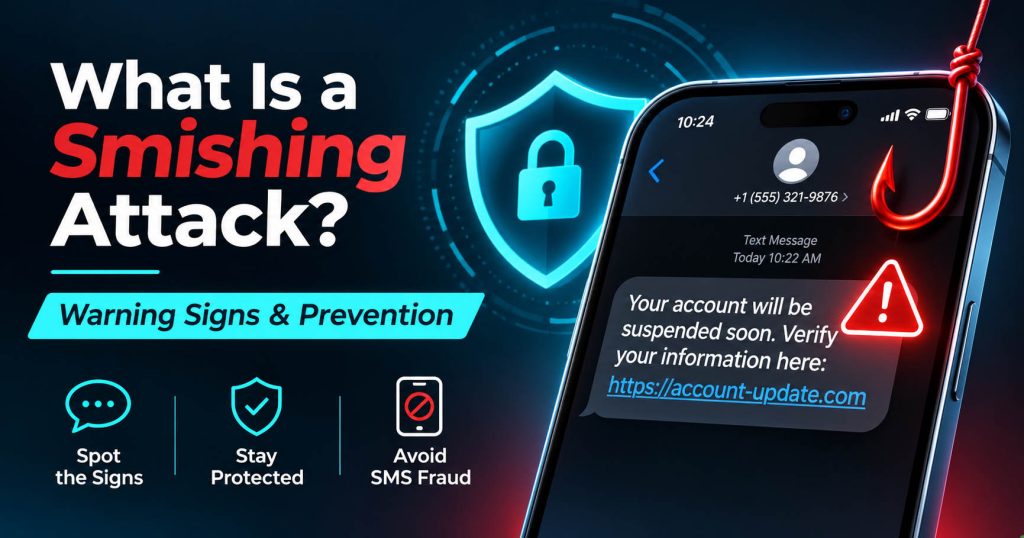
Smishing Attack is a form of phishing attack that uses SMS text messages or similar messaging channels to deceive recipients into revealing sensitive information, accessing malicious links, or carrying out fraudulent transactions.
The term Smishing is a combination of two words:
- SMS (Short Message Service): A text messaging service.
- Phishing: A form of fraud intended to steal information or manipulate users.
Smishing belongs to the category of Social Engineering attacks. Instead of directly breaking into security systems, scammers exploit people’s trust, fear, or lack of vigilance to make victims perform harmful actions themselves.
For example, a fake bank message may ask the recipient to visit a website to verify a transaction. If the victim enters their login information on the fake website, their account may be at risk of being compromised.
Is Smishing the Same as SMS Spam?
SMS Spam refers to unwanted text messages, often related to advertising or mass marketing. In contrast, Smishing is intended to commit fraud, such as stealing passwords, card information, or money.
A spam message is not necessarily Smishing. However, fraudulent messages can be disguised as advertisements, promotional offers, or service notifications.
How Does a Smishing Attack Work?
A Smishing attack typically uses fraudulent message content combined with psychological manipulation techniques. The common process consists of four steps.
Step 1: Create Fraudulent Message Content
Scammers create fake notifications impersonating banks, businesses, mobile network operators, or government agencies. The content usually relates to issues that concern recipients, such as a locked account, an undelivered order, or a suspicious transaction.
Step 2: Send the Message to the Victim
The message is sent to the user’s phone number. In some cases, scammers combine Smishing with SMS Spoofing to impersonate the sender’s number or name. Notably, fraudulent messages may sometimes appear in the same conversation as previous legitimate messages.
Step 3: Create Psychological Pressure
Scammers often exploit three factors:
- Fear: Threatening that an account will be locked or money will be lost.
- Urgency: Demanding immediate action.
- Trust: Impersonating familiar brands or organizations.
The goal is to make recipients act before checking the source of the message.
Step 4: Lure the Victim
If they believe the notification, victims may click links, enter passwords, provide OTPs, transfer money, or install untrusted applications. The consequences depend on the information they have disclosed and the actions they take afterward.
7 Common Types of Smishing Attacks
Smishing can occur in many everyday situations. Below are seven types you should be aware of.
1. Impersonating Banks and Financial Institutions
Victims receive notifications about suspicious transactions or restricted accounts. The message asks them to access a link to verify their identity or cancel a transaction. The fake website may collect passwords, banking information, and OTP codes.
2. Impersonating Delivery Companies
The message notifies recipients that a delivery has failed, the address is incorrect, or a redelivery fee must be paid. Recipients are instructed to visit a fake website to update their personal information and payment card details. This type of scam can easily cause confusion when users are waiting for a genuine order.
3. Impersonating Toll Road or Parking Notifications
Scammers send SMS messages notifying recipients that they have not paid a toll fee or parking fine. The message usually includes a request for immediate payment to avoid a larger penalty. According to FTC warnings, this is one of the text message scam scenarios that consumers should be aware of.
4. Impersonating OTP Notifications
A fraudulent message impersonates an online platform and notifies the recipient that someone is attempting to log in. The scammer then asks the victim to provide an OTP code to verify or protect the account. If users comply, they may unknowingly hand their verification code over to the scammer.
5. Prize Scams
Recipients receive notifications claiming that they have won a voucher, gift, or valuable prize. To claim the reward, they are asked to access a link, provide information, or pay a fee. This type of scam takes advantage of people’s desire to receive free offers.
6. Impersonating Government Agencies
Scammers impersonate tax authorities or public services to notify recipients about fines, tax refunds, or identity verification requirements. These messages may make recipients anxious because they believe they are facing a legal issue.
7. Impersonating Recruiters and Customer Support
Messages may contain unexpected job offers, attractive income opportunities, or requests to contact a support department. Some cases involve requests to pay recruitment fees, provide documents, or access fake websites.
7 Signs of a Smishing Message
Not all fraudulent messages are easy to detect. However, you can recognize the following common warning signs.
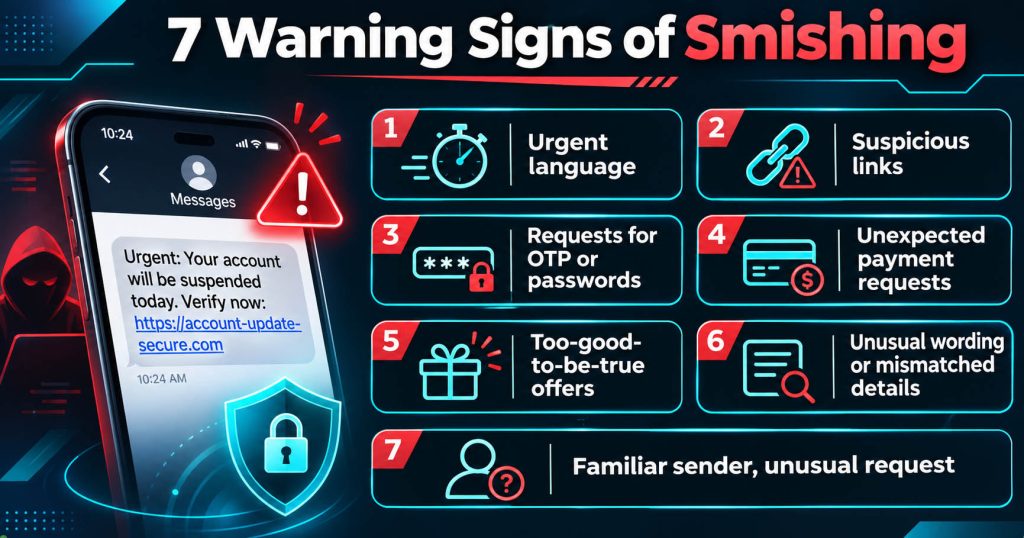
1. Urgent Message Content
The message demands immediate action, otherwise the account will be locked or a fine will be imposed. This is a way to create pressure and make recipients skip the verification step.
2. Suspicious Links
Links may use domain names that closely resemble real brands, shortened URLs, or unusual characters. You should check the actual domain name rather than relying only on the brand name mentioned in the message.
3. Requests for OTPs or Passwords
Messages asking you to send verification codes, passwords, PINs, or card information are particularly suspicious. Do not provide this information to unexpected contacts.
4. Payment Requests from Unclear Sources
Recipients receive notifications about fees or transactions they do not recognize. Check directly with the relevant organization before making any payment.
5. Overly Attractive Rewards
A notification claiming that you have won a prize even though you never entered the corresponding promotion may be a sign of fraud.
6. Inconsistent Content
Messages may contain spelling mistakes, mismatched information, or unusual wording. However, modern fraudulent messages can still be written very professionally.
7. A Familiar Sender Name but an Unusual Request
This is the most important warning sign. Even if the SMS displays the correct bank name or appears in an old conversation, you should not automatically assume that the notification is legitimate.
The sender’s name is not absolute proof of the identity of the party sending the message.
A Practical Example of a Smishing Message
Suppose you receive the following message:
EXAMPLE BANK: Suspicious activity detected. Your account will be restricted. Verify your details at account-check.example.com.
This is a hypothetical example of a message, not a notification from a real bank.
The message has several suspicious signs:
- It claims that there is a problem with the account but provides no trustworthy context.
- It threatens to restrict the account to create a sense of urgency.
- It asks the user to access a link.
- The domain has not been verified as belonging to the bank.
- It directs users away from the official application.
Appropriate response: Do not click the link. Instead, open the banking application directly on your device or contact the bank through its official support number to check.
Distinguishing Smishing, Phishing, Vishing, and SMS Spoofing
These terms are often mentioned in the field of security, but they are not exactly the same.
| Type | Main Characteristics |
|---|---|
| Phishing | Fraud through email, websites, or online channels |
| Smishing | Fraud through text messages |
| Vishing | Fraud through voice calls |
| SMS Spoofing | Forging SMS sender information |
| SIM Swapping | Taking control of a phone number through unauthorized SIM/eSIM transfers |
The key difference is that Smishing focuses on fraudulent behavior, while SMS Spoofing is an identity-forging technique that can be used to support fraud.
Meanwhile, SIM Swapping can cause victims to lose the ability to receive SMS messages and new calls sent to the compromised phone number.
You can also read two related articles on SMS Nova:
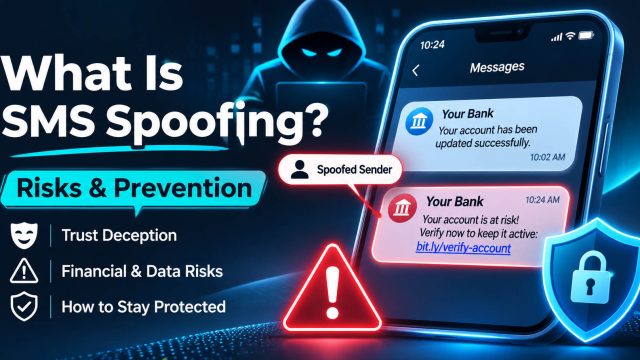
- What Is SMS Spoofing? Risks and Prevention Tips
- What Is SIM Swapping? How to Prevent SIM Swap Attacks
The Serious Risks of Smishing Attacks
Smishing can cause damage to both individuals and businesses.
Personal Information Theft: Scammers collect full names, phone numbers, addresses, passwords, or payment data.
Financial Fraud: Users may be tricked into transferring money or providing card information to fake websites.
Account Takeover: Stolen passwords and OTPs may be used in unauthorized login attempts.
Malware: Installing applications from untrusted links can expose devices to security risks.
Business Impact: Employees who are deceived may expose work accounts or customer information.
The extent of the damage depends on the type of attack, the information disclosed, and how quickly the situation is handled.
Need a Virtual Number Right Now?
Skip the wait — rent an instant virtual number and start receiving SMS codes in seconds.
9 Effective Measures to Prevent Smishing Attacks
Users cannot prevent every fraudulent message from being sent to their phones, but they can significantly reduce the risk of becoming victims by following these measures.
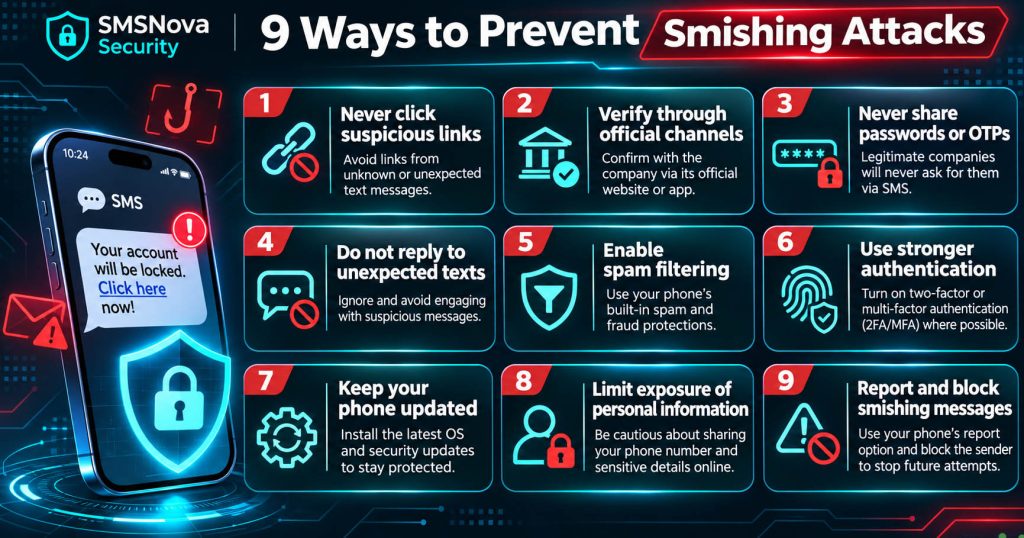
1. Do Not Click on Suspicious SMS Links
Avoid opening links in unexpected messages, especially when the content asks you to log in or make a payment. If you need to check information, access the official website directly.
2. Verify Information Through Official Channels
When receiving notifications related to a bank or account, check directly through that organization’s application. Do not call phone numbers provided in suspicious messages.
3. Do Not Share Passwords and OTPs
Do not provide passwords, PINs, or verification codes to others via SMS. Only enter OTPs into legitimate verification processes that you have initiated yourself.
4. Do Not Reply to Unexpected Messages
Some messages are designed to make recipients reply in order to start a conversation. If a message shows signs of fraud, stop interacting with it.
5. Enable Spam Message Filtering
Use the spam filtering features available on your phone and check the protection tools provided by your mobile carrier. Filters cannot block every dangerous message, but they can reduce the number of suspicious SMS messages you receive.
6. Use Strong Authentication Methods
For important accounts, prioritize passkeys or phishing-resistant security keys when the service supports them. Authenticator apps help reduce dependence on SMS OTPs, but manually entered codes can still be stolen through fake websites. According to NIST SP 800-63B, OTP methods that require users to manually enter codes are not considered fully phishing-resistant.
7. Update Your Phone and Applications
Install security updates for your operating system, browser, and applications. This helps reduce risks from vulnerabilities that developers have already fixed.
8. Limit the Public Exposure of Personal Information
Do not provide your phone number, address, or personal information to websites where it is unnecessary. Limiting publicly available data can reduce some of the sources used to collect information for scam campaigns.
9. Report and Block Fraudulent Messages
Use the Report Spam feature, block the sender, and notify the organization being impersonated. In the United States, users can forward suspicious messages to 7726 or report them through the FTC. Other countries may have their own reporting channels.
What Should You Do If You Have Already Clicked a Smishing Link?
Not every interaction with a fraudulent message carries the same level of risk.
If You Only Opened and Read the Message
Reading an ordinary SMS does not mean that your phone has been compromised. Stop interacting with the message, report it, and delete it after saving any necessary evidence.
If You Clicked the Link but Have Not Entered Any Information
Close the suspicious website and do not download files or install any applications it recommends. Check for newly downloaded files, update your device, and monitor it for unusual signs. Simply clicking a link does not necessarily mean that you have been infected with malware, but you should not automatically assume that the link is completely harmless either.
If You Have Entered Your Password
Access the official website or application from a trusted device to change your password. Check your login history, sign out of unfamiliar sessions, and update your account recovery methods.
If You Have Shared an OTP
Immediately check the associated account, revoke any unusual login sessions, and contact the service’s security department if necessary. If the OTP was used to change account information, take action as soon as possible.
If You Have Provided Payment Information
Contact your bank or card issuer for assistance in protecting your account and handling risky transactions. Keep evidence such as the SMS content, links, transaction times, and receipts.
If You Have Installed a Suspicious Application
Stop using the application, check the permissions you have granted, and use a trusted security tool. If you suspect that your device has been compromised, seek technical support and avoid using that device to log in to important accounts until it has been inspected.
Can Smishing Steal SMS OTP Verification Codes?
Yes, Smishing can be used to trick users into revealing OTP codes, but this attack method does not automatically allow scammers to read messages on a SIM card.
For example, an attacker may impersonate a support department and ask users to send back the verification code they have just received. In another case, a fake website may ask victims to enter their OTP along with their login information.
If users follow these instructions, they may unintentionally provide the information scammers need to access their accounts. To reduce the risk, only enter OTPs on official websites or applications and never share codes with anyone.
You can learn more about SMS-based verification in What Is SMS Verification and How Does It Work?.
Can Temporary Phone Numbers Help Reduce the Risk of Smishing?
Temporary Phone Number or Virtual Phone Number can help reduce the need to use your personal number for short-term registration activities.
When your primary number is not exposed on too many websites, you may reduce some of the sources through which your contact information could be collected or shared unnecessarily. However, temporary phone numbers do not directly prevent Smishing Attacks.
Scammers can still send fraudulent messages to secondary or virtual numbers. Therefore, using a temporary number should be combined with safe security practices. In addition, you should not use a short-term rented number as the only recovery method for important accounts.
SMS Nova Advice: Protect Your Personal Phone Number Against Smishing Attacks
According to SMS Nova user security guidelines, reducing the risk of Smishing should begin with two principles: verifying the origin of messages and managing how personal phone numbers are shared. Phone numbers are commonly used for communication, account registration, receiving OTPs, and recovering account access.
When users share their primary numbers across multiple platforms, they may increase their exposure to advertising messages, unwanted notifications, or scam campaigns.
Three Recommendations from SMSNova
- Always verify important messages. Do not blindly trust the sender’s name, especially when an SMS asks you to provide a password or OTP, or transfer money.
- Prioritize protecting accounts with strong authentication methods. Use passkeys, Authenticator apps, or security keys that suit your needs.
- Consider using a secondary phone number for short-term activities. When the platform allows it, a temporary number can help you limit the disclosure of your personal number to non-essential services.
When Should You Use SMS Nova?
If you need to receive SMS codes for a short period without purchasing an additional physical SIM card, you can explore the service at SMS Nova.
SMS Nova provides temporary and virtual phone numbers, allowing users to:
- Choose supported countries and services.
- Rent phone numbers for short-term verification needs.
- Receive and monitor SMS messages online through a dashboard.
- Pay for each number used.
- Check rental prices before ordering a number.
According to the SMS Nova pricing page, some options start at $0.01, depending on the country and service.
Before renting a number, you should check the platform’s verification policies, the usage period, and the refund conditions.
Note: SMS Nova is not a direct solution for preventing Smishing messages. Temporary number services primarily support short-term SMS reception needs and help limit the sharing of personal phone numbers in appropriate situations.
Explore temporary phone number services on SMS Nova to choose an online SMS reception solution that suits your needs.
What Should Businesses Do to Prevent Smishing?
Smishing also poses risks to businesses when employees or customers become targets of scams. Businesses should implement the following measures:
- Train employees to recognize suspicious messages.
- Publicize official contact channels.
- Do not ask customers to provide OTPs or passwords via SMS.
- Apply strong MFA to administrative accounts.
- Establish a reporting process for cases where the brand is found to be impersonated.
Proactively communicating about scam tactics can help customers recognize fake notifications before any damage occurs.
Frequently Asked Questions About Smishing Attacks
1. What Does Smishing Attack Mean?
A Smishing Attack is a form of phishing that uses messages to trick recipients into providing sensitive information, accessing fake websites, or taking actions that benefit scammers.
2. Are Smishing and Phishing the Same?
Smishing is a type of phishing that focuses on SMS messages or messaging channels. Phishing is a broader concept that includes various online scam methods.
3. Can iPhones and Android Devices Be Affected by Smishing?
Yes. Both iPhones and Android devices can receive fraudulent messages. The risk depends on the message content and the user’s actions, not just the operating system.
4. Can Simply Reading a Smishing Message Get Your Phone Hacked?
In general, reading an SMS does not mean that your device has been compromised. However, you should still keep your software updated and avoid interacting with suspicious links or files.
5. Is Clicking a Smishing Link Dangerous?
It can be. The risk depends on the destination website, the device, and your subsequent actions. You should close the page, check your device, and protect your accounts if you have provided any information.
6. Can Smishing Steal OTPs?
It can do so by tricking users into revealing OTPs themselves or entering codes on fake websites. Smishing alone does not automatically take control of a victim’s ability to receive SMS messages.
7. How Can You Report Smishing?
You can use the spam reporting feature in your messaging application, notify your mobile carrier, or report the incident to the competent authorities in your country.
8. Can Virtual Phone Numbers Prevent Smishing?
Not directly. Virtual phone numbers can help limit the sharing of personal numbers, but they do not eliminate the risk of receiving or interacting with fraudulent messages.
Conclusion: Take Proactive Steps to Protect Yourself Against Smishing Attacks
Smishing Attack are a form of messaging fraud that exploit trust and a sense of urgency to trick users into revealing information or carrying out fraudulent transactions.
To prevent them, verify the source of SMS messages, do not click unexpected links, never share OTPs, and use strong authentication methods for important accounts. In addition, limiting the sharing of personal phone numbers and using secondary numbers for their intended purposes can help protect your privacy.
You can continue exploring articles about SMS Verification and phone number security on SMS Nova to use online services more safely.
Reference sources:
https://www.ibm.com/think/topics/smishing
https://www.cyber.gc.ca/en/guidance/smishing-protect-yourself-sms-attacks-itsap00103
https://consumer.ftc.gov/consumer-alerts/2025/04/unexpected-text-scam
https://pages.nist.gov/800-63-4/sp800-63b.html
Need a Virtual Number Right Now?
Skip the wait — rent an instant virtual number and start receiving SMS codes in seconds.

 Apple
 Telegram